Best Free & Paid Material Libraries 🎨
🎨 Best Free & Paid Material Libraries for Designers & Developers (2024)
Whether you’re a 3D artist, UI/UX designer, architect, or game developer, having a solid material library can save you hours of work (and headaches!). But with so many options—free and paid—how do you choose the right one?
In this guide, we’ll break down:
✅ Top free & paid material libraries
✅ Who each is best for (3D, UI, architecture, etc.)
✅ Key features & limitations
✅ FAQs (like “Are free libraries good enough for professional work?”)
Let’s dive in! 🚀
🆓 Best FREE Material Libraries
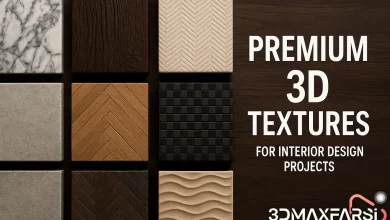
Free doesn’t always mean “low quality.” Many free libraries offer high-res textures, PBR materials, and even procedural generation. Here are the best ones:
| Library | Best For | Formats | Highlights |
|---|---|---|---|
| Poly Haven (CC0) | 3D Artists, Game Devs | EXR, JPG, PNG | 100% free, 8K HDRIs, PBR textures |
| Texture Haven | 3D Modeling | PNG, JPG | Seamless textures, great for Blender/Unreal |
| AmbientCG (CC0) | PBR Materials | PNG, EXR | 2K-8K textures, metal/wood/fabric |
| Google Material Design | UI/UX Designers | SVG, PNG | Official Google UI assets, icons, components |
| BlenderKit (Freemium) | Blender Users | .BLEND | Built into Blender, free & paid options |
💡 Pro Tip: Most free libraries use CC0 licenses, meaning no attribution required—perfect for commercial projects!
💰 Best PAID Material Libraries (Worth the Investment)
If you need higher quality, variety, or advanced features, paid libraries are the way to go.
| Library | Price | Best For | Why It’s Worth It |
|---|---|---|---|
| Poliigon | $15+/mo | 3D Artists, ArchViz | 4K-8K scans, smart materials, 3D models |
| Substance Source (Adobe) | $19.99/mo | Game Devs, VFX | Procedural materials, Substance Painter integration |
| Quixel Megascans | Free (Unreal) / $19/mo | Unreal Engine Users | Photorealistic scans, vast ecosystem |
| Envato Elements | $16.50/mo | All Creatives | Textures, 3D models, templates (unlimited downloads) |
| Figma UI Kits (Paid) | $20-$100+ | UI/UX Designers | Ready-made design systems, responsive components |
🔥 Hot Take: If you’re serious about 3D or game dev, Substance Source or Megascans are game-changers—they save weeks of manual work.
🤔 FAQs: Material Libraries Explained
❓ Are free material libraries good enough for professional work?
✅ Yes! Many free libraries (like Poly Haven and AmbientCG) offer studio-grade textures. However, paid libraries often have better organization, variety, and support.
❓ What’s the difference between PBR and regular textures?
-
PBR (Physically Based Rendering) = Simulates real-world light interaction (metalness, roughness).
-
Regular textures = Basic color maps (no advanced shading).
👉 PBR is the standard for games & 3D renders.
❓ Can I use these materials in Blender/Unreal/Unity?
✔ Absolutely! Most libraries provide JPG/PNG/EXR files compatible with all major software.
❓ Which is better: Megascans or Substance Source?
- Megascans → Best for photorealism (Unreal Engine).
- Substance Source → Best for customizable procedural materials.
🏆 Final Verdict: Which Should You Choose?
| Scenario | Best Pick |
|---|---|
| Budget-friendly 3D work | Poly Haven (Free) |
| AAA Game Development | Substance Source (Paid) |
| UI/UX Design | Google Material Design (Free) or Figma UI Kits (Paid) |
| Architecture Visualization | Poliigon (Paid) |
💬 Got a favorite material library? Drop it in the comments! 👇
🔗 Quick Links to Top Libraries
- Poly Haven (Free)
- Substance Source (Paid)
- Quixel Megascans (Free with Unreal)
- Google Material Design (Free)
Happy designing! 🎉