High-quality 3D character models
High-Quality 3D Character Models: The Secret Sauce for Stunning Animation 🎬
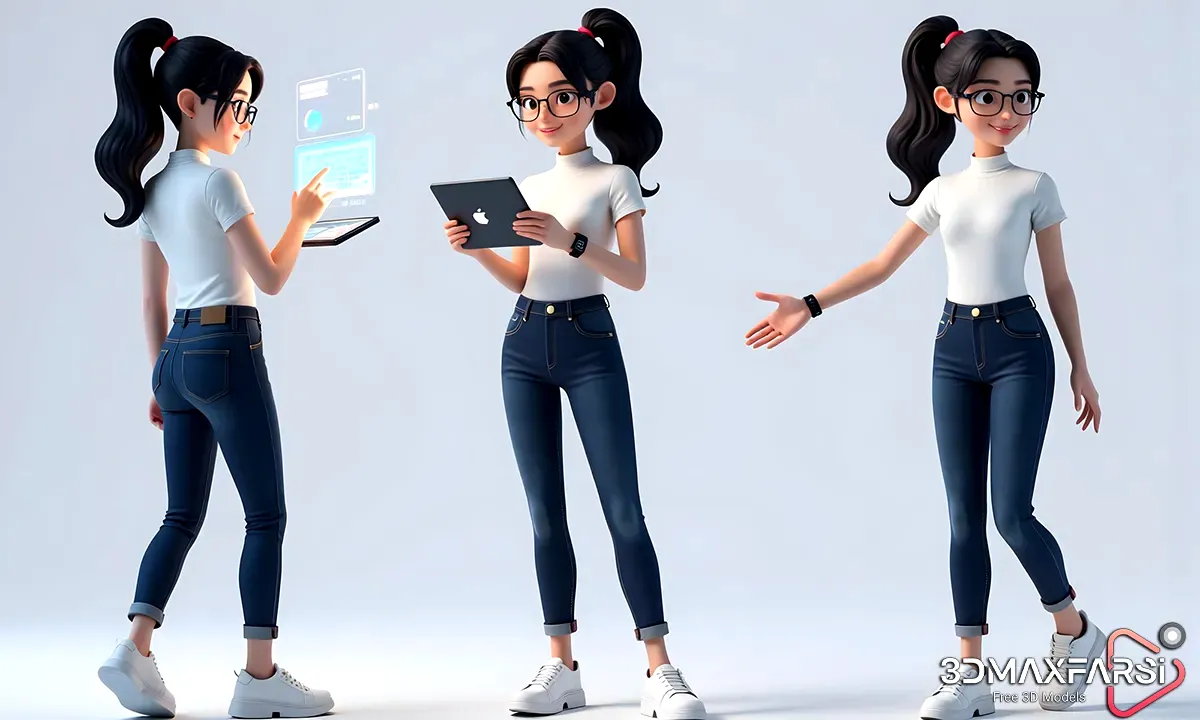
If you’re diving into animation, gaming, or any 3D project, you know that high-quality 3D character models are the backbone of a visually stunning experience. But what makes a 3D model truly “high-quality”? And how do you pick the best ones for animation?
In this guide, we’ll break it all down—what makes a 3D character model top-tier, where to find them, and how to use them effectively in animation. Let’s get started!
Be sure to read: High-Quality 3D Character Models for Animation
What Makes a 3D Character Model “High-Quality”? 🔍
Not all 3D models are created equal. A high-quality 3D character model stands out because of:
| Feature | Why It Matters |
|---|---|
| Clean Topology | Ensures smooth deformation for animation (no weird stretching!). |
| Proper Edge Flow | Helps with natural movement, especially around joints. |
| Realistic Proportions | Makes characters believable (unless stylized is the goal). |
| Detailed Textures | Adds depth—think skin pores, fabric wrinkles, and realistic shading. |
| Optimized Poly Count | Balances detail with performance (no lag in rendering!). |
Why High-Quality Models Matter for Animation �
- Better Rigging & Skinning – Poor topology = janky movements.
- More Expressive Characters – Detailed facial rigs allow for nuanced emotions.
- Faster Workflow – Fixing a bad model takes longer than starting with a good one.
Where to Find High-Quality 3D Character Models 🛒
Looking for ready-made models? Here are some top sources:
1. Marketplaces (Paid & Premium)
- Turbosquid – Huge variety, but quality varies.
- CGTrader – Great for game-ready models.
- ArtStation Marketplace – High-end, artist-made models.
2. Free Resources (With Caution ⚠️)
- Sketchfab – Some gems, but check licenses!
- BlenderKit – Good for beginners.
- Mixamo (by Adobe) – Free auto-rigging for animations.
💡 Pro Tip: Always check poly count, rigging compatibility, and texture resolution before downloading.
Be sure to read: Top-rated 3D assets for visual effects artists
Common Questions About 3D Character Models for Animation ❓
Q: Can I use free models for commercial projects?
A: Sometimes! Check the license—CC0 (Public Domain) is safest, but CC-BY requires attribution.
Q: How many polygons should a game-ready character have?
A: It depends:
- Mobile Games: 5K–15K polygons
- PC/Console: 20K–100K+ (with LODs for optimization)
Q: What’s the best software for animating 3D characters?
A:
- Blender (Free & powerful)
- Maya (Industry standard)
- Unreal Engine (Metahumans) (Next-gen realism)
How to Customize & Animate Your 3D Character 🎭
Got your model? Here’s how to bring it to life:
- Rigging – Add bones for movement.
- Skinning – Bind the mesh to the skeleton.
- Facial Animation – Use blend shapes (morph targets) for expressions.
- Motion Capture (Optional) – Speed up animation with mocap data.
🔥 Hot Tip: Use Mixamo for auto-rigging if you’re short on time!
Final Thoughts: Why Invest in High-Quality 3D Models? 💰
Whether you’re an indie dev or a studio pro, high-quality 3D character models save time, boost realism, and make animations smoother. Don’t cut corners—your audience will notice!
🚀 Ready to start? Browse top marketplaces, check those licenses, and animate like a pro!
High-Quality 3D Character Models: The Secret Sauce for Stunning Animation (Part 2) 🚀
Welcome back! In the first part, we covered the basics of high-quality 3D character models—what makes them great, where to find them, and how they impact animation. Now, let’s dive even deeper into advanced tips, industry trends, and pro workflows.
Optimizing 3D Characters for Animation: Pro Tips 🛠️
Even the best 3D model can fail if not optimized properly. Here’s how to ensure your character moves like a dream:
1. Retopology: The Secret to Smooth Animation
-
Why it matters: Low-poly models with good edge flow deform better.
-
Tools for retopology:
-
Blender (Manual retopo)
-
Maya’s Quad Draw
-
ZBrush’s ZRemesher (Automatic but needs tweaking)
-
2. Rigging Like a Pro
A bad rig = robotic movements. Follow these best practices:
-
Use IK (Inverse Kinematics) for natural limb movement.
-
Add corrective blend shapes to fix deformations in extreme poses.
-
Keep the rig simple—too many controls can slow down animators.
🎯 Pro Tip: Use Auto-Rig Pro (Blender) or Advanced Skeleton (Maya) for faster setups.
3. Facial Rigging for Expressive Characters
Want your characters to smile, frown, or raise an eyebrow convincingly?
-
Blend Shapes (Morph Targets): Best for subtle expressions.
-
Bone-Based Rigging: Good for jaw/eye movements.
-
Combined Approach: AAA games often use both.
Example of a basic facial rig setup:
| Facial Feature | Rigging Method |
|---|---|
| Eyebrows | Blend Shapes |
| Eyes | Bones + Constraints |
| Mouth & Lips | Combination (Blends + Bones) |
Industry Trends in 3D Character Animation 🌟
The world of 3D animation is evolving fast. Here’s what’s hot in 2024:
1. AI-Assisted Animation
-
Tools like DeepMotion auto-animate 3D models from video.
-
NVIDIA’s Omniverse uses AI for real-time motion smoothing.
2. Real-Time Animation in Unreal Engine
-
MetaHumans allow hyper-realistic facial animation.
-
Control Rig lets animators tweak movements on the fly.
3. Stylized 3D Characters (Not Just Realism!)
-
“Arcane”-style animation (2D/3D hybrid) is booming.
-
Low-poly + hand-painted textures for indie games.
Be sure to read: Best 3D assets for game development
Common Mistakes to Avoid When Using 3D Character Models ❌
Even pros mess up sometimes. Here’s what NOT to do:
- Ignoring Scale – Make sure your model matches your scene’s units (meters vs. centimeters).
- Overcomplicating the Rig – Too many bones = animation nightmare.
- Skipping Weight Painting – Results in weird elbow bends and knee pops.
- Using 8K Textures for Mobile Games – Optimize! Downscale if needed.
💥 Fix It Fast: Use LODs (Level of Detail) to keep performance smooth.
FAQs: Even More Answers to Your Burning Questions 🔥
Q: How do I know if a 3D model is animation-ready?
A: Look for:
✔ Pre-rigged models (if you’re in a hurry).
✔ Clean edge loops around joints.
✔ Test poses (check for mesh stretching).
Q: Can I modify a purchased 3D model?
A: Yes, but check the license! Some restrict commercial use or derivatives.
Q: What’s the future of 3D character animation?
A: Expect more:
➡ AI-driven auto-animation.
➡ Real-time collaborative tools (like Unreal & Unity).
➡ VR/AR character interaction.
Final Pro Tips for Animators 🏁
- Start simple – Don’t jump into ultra-realistic models if you’re new.
- Learn the 12 Principles of Animation – Even 3D follows these rules!
- Use reference videos – Film yourself acting out scenes if needed.
Conclusion: Your 3D Animation Journey Starts Now!
Whether you’re creating your first animated short or developing a AAA game, high-quality 3D character models are your foundation. Optimize them, rig them right, and animate with confidence!
🎬 What’s next? Try animating a walk cycle or facial expression test with your new knowledge!
Got more questions? Ask below! Let’s keep the conversation going. 👇
#3DModeling #AnimationTips #GameDev #3DAnimation #GameDev #CharacterDesign