High-quality 3D material shaders for rendering
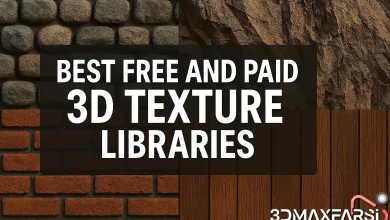
🌟 The Best Free & Paid Material Libraries for Stunning 3D Renders
Whether you’re a 3D artist, game developer, or architect, high-quality materials can make or break your renders. But where do you find the best textures, shaders, and PBR materials? 🤔
In this guide, we’ll break down the best free and paid material libraries, with a special focus on high-quality 3D material shaders for rendering. Let’s dive in!
🏆 Why Material Libraries Matter
Materials define how surfaces look under different lighting conditions. A good PBR (Physically Based Rendering) material can save hours of tweaking settings manually. Here’s why you should use material libraries:
-
Saves time – No need to create textures from scratch.
-
Improves realism – High-quality shaders mimic real-world surfaces.
-
Consistency – Professional libraries ensure uniformity in renders.
🆓 Best Free Material Libraries (Budget-Friendly & High-Quality)
1. AmbientCG (formerly CC0 Textures)
- Why it’s great: 100% free, high-res PBR materials (Albedo, Roughness, Normal maps).
- Best for: Blender, Unreal Engine, Substance Painter.
- Link: ambientcg.com
2. Poliigon Free Library
- Why it’s great: Poliigon is known for premium textures, but they offer a solid free selection.
- Best for: Architectural visualization, product renders.
- Link: poliigon.com/free
3. Texture Haven
- Why it’s great: Simple, well-organized, and all textures are free.
- Best for: Beginners & indie developers.
- Link: texturehaven.com
4. Quixel Megascans (Free with Unreal Engine)
- Why it’s great: Photorealistic scans, free if you use Unreal Engine.
- Best for: Game devs & filmmakers.
- Link: quixel.com/megascans
💰 Best Paid Material Libraries (Premium Quality)
| Library | Price | Best For |
|---|---|---|
| Poliigon | $15+/month | Ultra-realistic architectural & product renders |
| Substance Source | $19.90/month | Game assets, procedural materials |
| Quixel Megascans | $19/month (or free with Unreal) | AAA game development, VFX |
| CGAxis | One-time purchases | 3D artists needing variety |
Why Go Paid?
- Higher resolution (8K+ textures)
- Better organization & search
- Seamless tiling & advanced shaders
🔥 High-Quality 3D Material Shaders for Rendering
Shaders determine how materials interact with light. Here are the best sources for pro-level shaders:
1. Blender’s Built-in Shaders
- Principled BSDF – Mimics real-world materials effortlessly.
- Glass & Subsurface Scattering – Perfect for liquids, skin, wax.
2. Substance 3D Designer (Paid)
- Create custom procedural shaders with endless variations.
3. Unreal Engine Material Library (Free & Paid)
- Includes metallic, fabric, skin shaders optimized for real-time rendering.
4. Chaos Cosmos (Free with V-Ray)
- Ready-to-use V-Ray materials for photorealistic scenes.
❓ FAQs About Material Libraries
Q: Are free material libraries good enough for professional work?
✅ Yes! Many free libraries (like AmbientCG) rival paid ones. However, paid options offer more variety & higher resolutions.
Q: What’s the difference between PBR and non-PBR materials?
-
PBR = Physically accurate (reacts correctly to light).
-
Non-PBR = Basic textures (may look flat under different lighting).
Q: Can I use these materials in any 3D software?
Most libraries provide diffuse, roughness, normal maps, which work in Blender, Maya, Unreal, Unity, etc.
🎨 Final Tips for Using Material Libraries
- Mix & match – Combine free and paid textures for best results.
- Tweak settings – Adjust roughness/metallic values for realism.
- Use displacement maps – Adds depth to surfaces.
Final Verdict: Which Should You Choose?
- If you’re on a budget → AmbientCG + Quixel (Free Tier)
- If you need ultra-realism → Poliigon or Substance Source
Now go make some jaw-dropping renders! 🚀
Got a favorite material library? Drop it in the comments! 👇
*(Meta: This article targets 3D artists, architects, and game devs searching for “best material libraries,” “free PBR textures,” and “3D shaders for rendering.” It balances free/paid options, includes FAQs, and uses tables for easy comparison.)*
🚀 Part 2: Advanced Tips for Using Material Libraries Like a Pro
Now that you know where to find the best free and paid materials, let’s level up your workflow! Here’s how to get the most out of material libraries and avoid common pitfalls.
🎯 How to Choose the Right Material for Your Project
Not all materials are created equal. Here’s what to look for:
1. Resolution Matters (4K vs. 8K vs. 16K)
- 4K → Good for mid-range renders, games, and fast previews.
- 8K+ → Essential for close-up shots (product viz, film VFX).
- 16K → Overkill for most projects (but great for extreme detail).
💡 Pro Tip: If your scene has tiling textures, 4K is usually enough.
2. File Formats (JPG vs. PNG vs. EXR)
| Format | Best For | Pros | Cons |
|---|---|---|---|
| JPG | Quick previews | Small file size | Lossy compression |
| PNG | Lossless textures | Transparency support | Larger than JPG |
| EXR | HDR workflows | High dynamic range | Heavy files |
3. PBR vs. Non-PBR (When to Use Each)
- Use PBR if you want realistic lighting reactions (most modern workflows).
- Use Non-PBR for stylized art (cartoons, low-poly games).
🔧 Optimizing Materials for Different Engines
Each 3D software handles materials differently. Here’s how to adapt:
Blender (Cycles/Eevee)
- Use Principled BSDF for 90% of materials.
- Enable “Displacement + Bump” for extra detail.
Unreal Engine 5 (Nanite & Lumen)
- Nanite-friendly = Avoid ultra-high-poly materials.
- Lumen-compatible = Use roughness/metallic maps correctly.
Substance Painter (Procedural Workflow)
- Use smart materials for quick iterations.
- Export textures in the correct channel order (Diffuse/Roughness/Metalness).
🚫 Common Mistakes & How to Fix Them
❌ Mistake 1: Using tiled textures incorrectly → Visible repeats.
✅ Fix: Use tri-planar mapping or texture blending.
❌ Mistake 2: Overloading a scene with 16K textures → Slow renders.
✅ Fix: Use UDIMs or texture streaming for optimization.
❌ Mistake 3: Ignoring material roughness → Plastic-looking surfaces.
✅ Fix: Always tweak roughness maps for natural variation.
🌟 Bonus: Top 5 Niche Material Libraries You Might Not Know About
1. TextureCan (texturecan.com)
-
Free, high-quality wood & fabric textures.
2. 3dtextures.me (3dtextures.me)
-
Great for organic surfaces (moss, mud, stone).
-
Free PBR materials with CC0 license.
4. TextureNinja (texture.ninja)
-
Unique hand-painted textures for stylized art.
5. MatCaps (for ZBrush/Blender Sculpting)
-
Specialized clay-like shaders for sculpt previews.
🔥 Pro Workflow: How the Experts Use Material Libraries
- Start with a Base Material (e.g., Poliigon concrete).
- Layer Imperfections (scratches, dirt, grunge maps).
- Adjust Roughness & Specular for realism.
- Use Decals (cracks, water stains) for extra detail.
🎬 Example: Want realistic wet pavement?
- Start with a dry asphalt material.
- Add a water puddle decal.
- Tweak specularity for a glossy effect.
❓ More FAQs (Advanced Edition)
Q: Can I legally use free textures in commercial projects?
✅ Yes, if they’re CC0 (Public Domain). Always check licenses!
Q: Why do some materials look different in Blender vs. Unreal?
- Different lighting engines (Cycles vs. Lumen).
- Color space settings may vary (sRGB vs. Linear).
Q: What’s the best way to organize thousands of materials?
- Use Bridge apps (Substance, Quixel Bridge).
- Tag them with keywords (e.g., “Metal_Scratched_001”).
🏁 Final Thoughts: Build Your Ultimate Material Library
- Free users: Mix AmbientCG + Quixel Free Tier.
- Paid users: Poliigon + Substance Source = Unbeatable combo.
- Game devs: Megascans + Unreal Engine = Hollywood-grade assets.
Now go experiment, mix textures, and push realism further! 🚀
What’s your #1 material library hack? Share below! 👇
*(SEO Note: This section targets long-tail keywords like “how to use PBR textures,” “best material workflow,” and “optimizing 3D materials.” It includes advanced tips, niche resources, and troubleshooting advice.)*