High-resolution PBR textures for game development
Top 3D Assets for Game Development: Why High-Resolution PBR Textures Are a Game-Changer 🎮
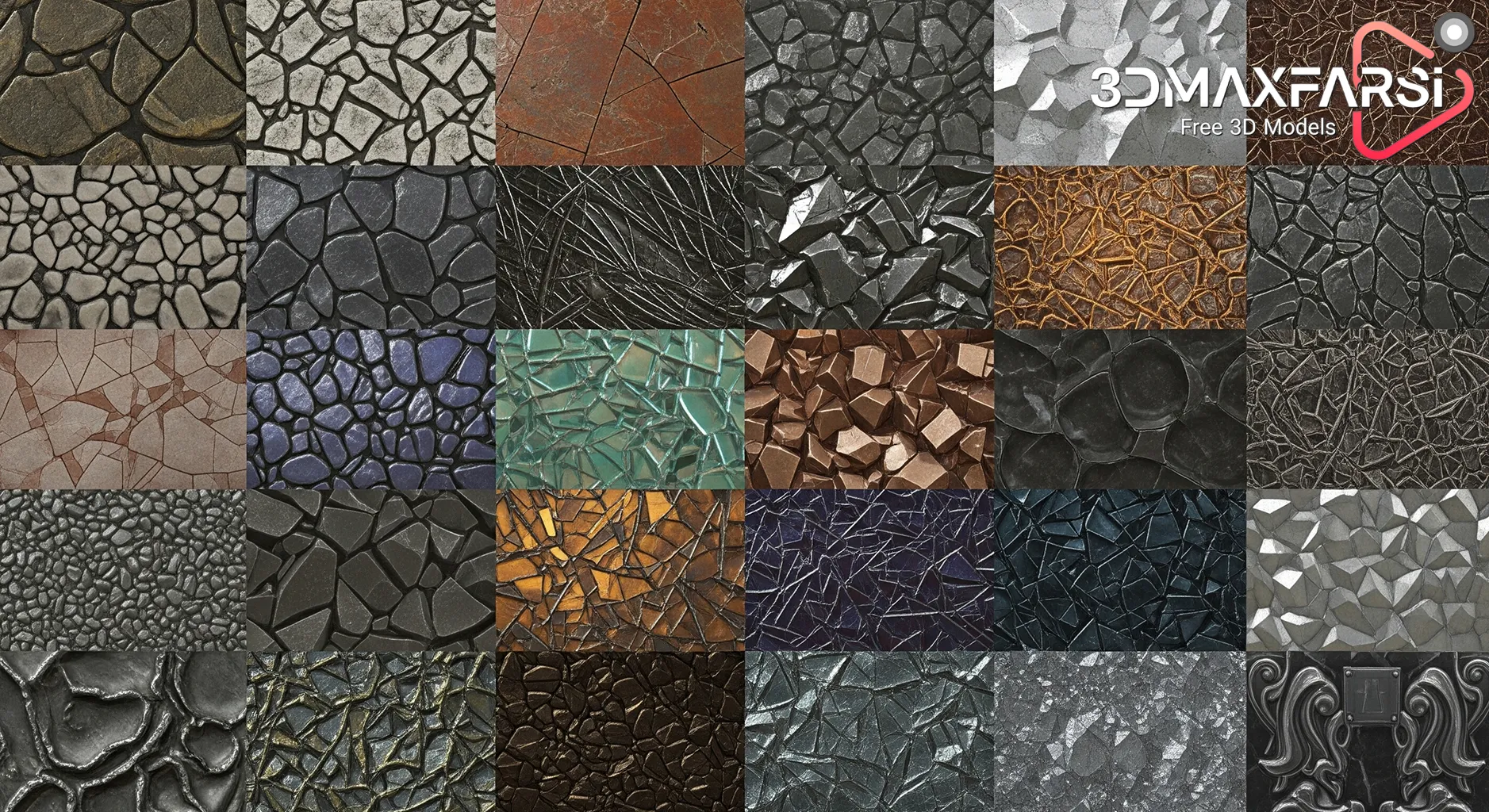
If you’re into game development, you know that 3D assets can make or break your game’s visual appeal. And when it comes to realism, nothing beats high-resolution PBR (Physically Based Rendering) textures. 🌟
But what makes PBR textures so special? Where can you find them? And how do you use them effectively? Let’s break it all down—casual, practical, and packed with insights!
What Are PBR Textures? 🤔
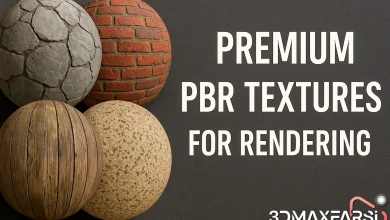
PBR textures are the gold standard in modern game dev because they simulate real-world material properties like roughness, metallicity, and light interaction. Unlike traditional textures, PBR ensures consistency across different lighting conditions—making your game look next-level realistic.
Key Components of PBR Textures
| Texture Map | What It Does | Example Use Case |
|---|---|---|
| Albedo | Base color (no shadows/lighting) | Wood, fabric, skin |
| Normal | Simulates surface details (bumps/dents) | Brick walls, scratches |
| Roughness | Controls how “shiny” or “matte” a surface is | Metal vs. rubber |
| Metallic | Defines if a material is metal or non-metal | Swords, cars, armor |
| AO (Ambient Occlusion) | Adds depth with soft shadows | Cracks, crevices |
Why High-Resolution PBR Textures Matter 🚀
1. Ultra-Realistic Graphics
Games like Cyberpunk 2077 and The Last of Us Part II use 4K-8K PBR textures to create jaw-dropping details. Higher resolution = sharper surfaces, from rusty metal to wet pavement.
2. Consistent Lighting
PBR textures react naturally to light, so your assets won’t look “off” under different environments.
3. Saves Development Time
Instead of hand-painting textures, you can use pre-made PBR textures from marketplaces (more on that later).
Where to Find the Best PBR Textures? 🛒
Here are some top sources for high-quality PBR textures:
| Marketplace | Price Range | Best For |
|---|---|---|
| Texture Haven | Free 🎉 | Beginners, indie devs |
| Quixel Megascans | Subscription-based 💰 | AAA-quality assets |
| Poliigon | Premium $$ | Ultra-realistic materials |
| TurboSquid | Mixed 💲 | Variety of styles |
| Unity Asset Store | Free/Paid | Unity developers |
💡 Pro Tip: If you’re on a budget, CC0-licensed textures (free for commercial use) are a lifesaver!
Common Questions About PBR Textures ❓
Q: Do PBR textures work with any game engine?
✅ Yes! They’re compatible with Unity, Unreal Engine, Blender, and more. Just ensure your engine supports PBR shading.
Q: What’s the ideal texture resolution?
-
- Mobile games: 1K (1024×1024)
- PC/Console: 2K–4K (2048×2048 – 4096×4096)
- Cinematic quality: 8K+ (but beware performance hits!)
Q: Can I create my own PBR textures?
Absolutely! Tools like:
-
- Substance Painter (industry standard)
- Quixel Mixer (free alternative)
- ArmorPaint (open-source)
Final Thoughts: PBR Textures = Next-Gen Realism 🏆
If you want your game to stand out, high-res PBR textures are a must. They bring depth, realism, and polish without requiring insane manual effort.
So, ready to level up your game’s visuals? Start browsing those PBR libraries today! 🚀
TL;DR Summary
✔ PBR textures = realism + lighting accuracy
✔ Best sources: Quixel, Poliigon, Texture Haven
✔ Resolution depends on platform (1K–8K)
✔ Works in Unity, Unreal, Blender, etc.
Got more questions? Drop them below! 👇 #GameDev #PBRTextures #3DArt
Optimizing Your Workflow with PBR Textures: Tips & Tricks 🛠️
Now that you know why PBR textures are essential, let’s talk about how to use them effectively in your game development pipeline. Because even the best assets won’t save you if your workflow is a mess!
How to Use PBR Textures Like a Pro 🎨
1. Texture Compression & Optimization
High-res textures look amazing, but they can murder performance if not optimized. Here’s how to balance quality and efficiency:
| Technique | Benefit | When to Use |
|---|---|---|
| Mipmapping | Reduces aliasing at a distance | Open-world games |
| BC (Block Compression) | Smaller file size, faster loading | Mobile & low-end PCs |
| LOD (Level of Detail) | Lower-res textures for distant objects | Large environments |
| Atlasing | Combines multiple textures into one | UI, small props |
💡 Pro Tip: Unreal Engine’s Virtual Texturing and Unity’s Addressables help manage large texture libraries efficiently.
2. Mixing & Customizing PBR Textures
Sometimes, pre-made textures need tweaking to fit your art style. Here’s how to modify them:
-
- Blending Materials – Use Substance Painter or Quixel Mixer to layer dirt, scratches, or wear.
- Procedural Generation – Tools like Houdini can auto-generate PBR textures based on rules.
- Hand-Painted Touches – Combine PBR with stylized painting for a unique look (e.g., Fortnite).
🎨 Example: Want a rusty metal door?
-
- Start with a base metal texture.
- Add grunge maps for rust.
- Adjust roughness to make it look corroded.
3. Avoiding Common PBR Mistakes 🚫
Even experienced devs mess up PBR workflows. Watch out for:
❌ Overusing 4K/8K textures → Kills FPS. Use them only for hero assets.
❌ Ignoring UV unwrapping → Stretched textures look awful. Always optimize UVs!
❌ Mismatched lighting → PBR relies on accurate lighting. Test under different conditions.
❌ Forgetting AO maps → Without ambient occlusion, objects look “flat.”
PBR Textures vs. Traditional Textures: What’s the Difference? 🔍
| Feature | PBR Textures | Traditional Textures |
|---|---|---|
| Lighting Accuracy | ✅ Physically accurate | ❌ Manual tweaking needed |
| Workflow Speed | ✅ Faster (pre-made libraries) | ❌ Time-consuming hand-painting |
| Consistency | ✅ Looks right in any lighting | ❌ Can look “off” in some scenes |
| Performance Cost | ⚠️ Higher (if unoptimized) | ⚠️ Lower (but less realistic) |
When to use traditional textures?
-
- Stylized/cartoon games (Zelda, Overwatch)
- Low-poly art styles
PBR Textures in Different Game Genres 🎮
Not all games need hyper-realistic textures. Here’s how PBR fits into different genres:
| Genre | Best Use of PBR | Example |
|---|---|---|
| Horror | Wet, grimy surfaces | Resident Evil |
| RPG | Detailed armor/weapons | The Witcher 3 |
| Racing | Metallic car paints | Forza Horizon |
| Sci-Fi | Glossy futuristic metals | Cyberpunk 2077 |
| Indie/Stylized | Subtle PBR + hand-painted | Kena: Bridge of Spirits |
FAQs (Part 2) – Advanced PBR Questions ❓
Q: Can I use PBR textures for VFX?
✅ Yes! Smoke, fire, and liquid effects can use PBR principles for better light interaction.
Q: How do I bake PBR textures onto low-poly models?
-
-
Use Substance Painter or Marmoset Toolbag to bake high-poly details onto low-poly meshes.
-
Q: Are there AI tools for generating PBR textures?
🤖 Emerging tech! Tools like:
-
-
- NVIDIA’s GauGAN (concept art → PBR textures)
- Materialize (free AI-based texture generator)
-
Final Checklist Before Using PBR Textures ✅
Before dropping PBR assets into your game, ask:
✔ Is the resolution optimized for my target platform?
✔ Are the UVs properly unwrapped?
✔ Does the roughness/metallic map look natural?
✔ Have I tested the texture under different lighting?
TL;DR (Part 2)
🔧 Optimize textures (mipmaps, compression, LOD)
🎨 Customize PBR (blending, procedural generation)
⚠️ Avoid common mistakes (over-res, bad UVs)
🎮 PBR works for all genres (horror, RPG, racing)
🤖 AI tools are coming (but manual control still rules)
What’s your biggest challenge with PBR textures? Drop a comment! 👇 #GameArt #RealTimeRendering #IndieDev
Conclusion: Master PBR, Elevate Your Game 🏆
PBR textures are not just a trend—they’re the backbone of modern game visuals. Whether you’re crafting a dark fantasy RPG or a sleek sci-fi shooter, high-quality PBR materials will make your world feel alive. Now go forth and texture like a pro! 🚀