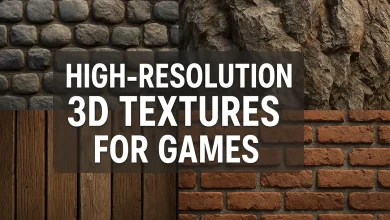
Professional-grade 3D textures for rendering
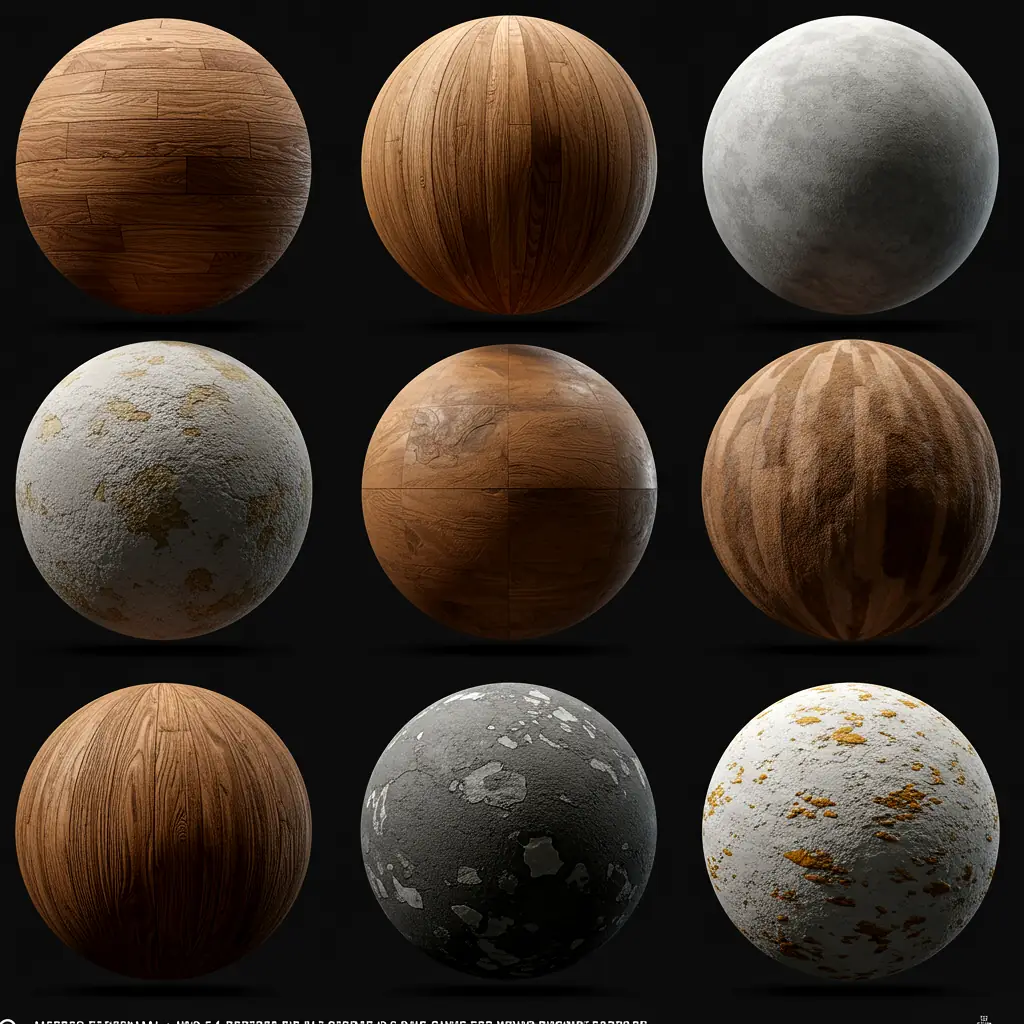
Professional-Grade 3D Textures for Rendering: Elevate Your Designs! 🚀
Whether you’re an architect, interior designer, or 3D artist, high-quality 3D textures can make or break your renders. But what makes a texture “professional-grade”? And where can you find the best downloadable 3D furniture models and photorealistic 3D interior models?
Let’s break it all down—from why textures matter to where you can get the best assets for your projects.
Why Do Professional-Grade 3D Textures Matter? 🤔
Textures are the secret sauce behind stunning 3D renders. Without them, even the best models look flat and unrealistic. Here’s why top-tier textures are a game-changer:
✅ Realism – High-res textures mimic real-world materials (wood grain, fabric weave, metal scratches).
✅ Light Interaction – Proper textures react to light naturally, enhancing shadows and highlights.
✅ Time-Saving – No need to model every tiny detail—textures do the heavy lifting.
✅ Consistency – Professional textures ensure uniformity across different renders.
Common Texture Types in 3D Rendering 🎨
| Texture Type | Purpose | Example Use |
|---|---|---|
| Albedo (Diffuse) | Base color & pattern | Wood, fabric, walls |
| Normal Map | Simulates surface details | Bumps, scratches, grooves |
| Roughness Map | Controls reflectivity | Matte vs. glossy surfaces |
| Displacement Map | Adds real geometric depth | Brick walls, deep grooves |
| Specular Map | Defines shininess | Metals, polished surfaces |
Photorealistic 3D Interior Models: The Key to Stunning Renders 🏡
Want your interiors to look like they belong in a magazine? Photorealistic 3D interior models are a must. Here’s how they enhance your workflow:
1. Downloadable 3D Furniture Models 🛋️
Instead of modeling from scratch, use pre-made high-quality assets. Some top sources:
-
- Turbosquid
- CGTrader
- Sketchfab
- ArtStation Marketplace
Pro Tip: Look for models with PBR (Physically Based Rendering) textures—they ensure realism under different lighting conditions.
2. Seamless Texture Tiling 🔄
Ever seen a repeating pattern that looks obviously fake? Avoid that by using seamless textures that blend naturally.
3. Lighting + Textures = Magic 💡
Even the best textures won’t shine without proper lighting. Use HDRI maps for realistic environmental lighting.
FAQs: Your Burning Questions Answered! 🔥
Q: Where can I get free professional-grade 3D textures?
A: Check out:
- Poliigon (Free Section)
- Texture Haven
- CC0 Textures
Q: What’s the difference between a normal map and a displacement map?
A:
-
Normal Map = Fakes details (good for performance).
-
Displacement Map = Actually modifies geometry (more realistic but heavier).
Q: How do I make my 3D furniture models look realistic?
A:
✔ Use high-quality PBR textures.
✔ Add imperfections (scratches, dust).
✔ Adjust material roughness & reflectivity.
Final Thoughts: Level Up Your Renders! 🎨
Professional-grade 3D textures and downloadable furniture models are essential for creating jaw-dropping interiors. Whether you’re working on architectural viz, game design, or product renders, investing in high-quality assets saves time and boosts realism.
Ready to upgrade your library? Check out premium texture packs and 3D model marketplaces today!
Got questions? Drop them below—we’re happy to help! 👇😊
Part 2: Advanced Tips for Mastering 3D Textures & Interior Rendering 🚀
Welcome back! In Part 1, we covered the basics of professional-grade 3D textures and photorealistic interior models. Now, let’s dive deeper into advanced techniques, workflow optimizations, and pro secrets that top 3D artists use to create stunning renders.
1. Texture Resolution & Optimization: Finding the Sweet Spot 🎯
High-res textures look amazing, but they can slow down your renders and bloat file sizes. How do you balance quality and performance?
🔹 Ideal Texture Resolutions
| Use Case | Recommended Resolution | Why? |
|---|---|---|
| Close-up Shots (Furniture, Products) | 4K (4096×4096) | Captures fine details like fabric weave or wood grain. |
| Mid-range Views (Room Renders) | 2K (2048×2048) | Balances detail and performance. |
| Background/Distant Objects | 1K (1024×1024) or lower | Saves memory without noticeable quality loss. |
Pro Tip: Use Mipmaps (scaled-down texture versions) to optimize real-time rendering (great for game engines like Unreal or Unity).
2. Material Layering: The Secret to Ultra-Realistic Surfaces 🏆
Real-world materials aren’t flat—they have micro-details, wear, and variation. Here’s how to replicate that:
🔹 Layered Material Workflow
-
Base Material (Albedo + Roughness) – The foundation (e.g., clean wood).
-
Imperfections (Scratches, Dust, Stains) – Overlay grunge maps for realism.
-
Edge Wear – Use a curvature map to add natural wear on edges.
-
Variation – Blend multiple textures to avoid repetition.
Example: A leather sofa looks fake if it’s perfectly uniform. Add:
✔ Subtle scratches (normal map)
✔ Slight color variation (dirt map overlay)
✔ Fabric fuzz (displacement)
3. Lighting Tricks for Photorealistic Interiors 💡
Even the best textures won’t shine without proper lighting. Here’s how the pros do it:
🔹 Best Lighting Setups for Interiors
| Lighting Type | Best For | Tips |
|---|---|---|
| HDRI + Sun Light | Natural daylight scenes | Use a soft HDRI to avoid harsh shadows. |
| Area Lights (Rectangular) | Artificial lighting (lamps, LEDs) | Adjust temperature (warm vs. cool white). |
| IES Lights | Realistic spotlights | Mimics real-world light fixtures. |
| Emissive Materials | Glowing screens, neon signs | Great for adding subtle ambient light. |
Pro Tip: Use light portals (in Corona/V-Ray) to help the renderer focus light through windows efficiently.
4. Where to Find the BEST Downloadable 3D Furniture Models 🛋️ (Updated!)
We mentioned some sources earlier, but here’s a curated list of the best places for high-quality 3D furniture:
🔹 Top 5 Sites for Premium Models
| Website | Why It’s Great | Price Range |
|---|---|---|
| Turbosquid | Huge library, good quality checks | $$ (Some free) |
| CGTrader | High-end models for pros | $$$ |
| DesignConnected | Focus on luxury interiors | $$$ |
| Sketchfab | Real-time previews, VR-ready | Free & Paid |
| ArtStation Marketplace | Artist-made, ultra-detailed | $$ |
Free Alternative? Check out Free3D or BlenderKit (for Blender users).
5. Common Rendering Mistakes (And How to Fix Them) ❌➡✅
Even pros make mistakes—here’s how to avoid them:
🔹 Problem: Textures Look Flat
Fix:
✔ Use PBR textures (albedo + normal + roughness).
✔ Add displacement for real depth.
🔹 Problem: Furniture Looks “Floaty” (No Shadows)
Fix:
✔ Enable contact shadows in render settings.
✔ Add ambient occlusion (AO) for natural shading.
🔹 Problem: Noise/Grain in Renders
Fix:
✔ Increase sample count (but balance render time).
✔ Use denoising (OptiX, Intel AI, etc.).
Final Pro Tips for Next-Level Renders 🌟
✅ Use Real-World References – Study how light interacts with materials in photos.
✅ Keep a Texture Library – Organize by type (wood, metal, fabric).
✅ Test Different Lighting – A texture can look completely different under warm vs. cool light.
✅ Render Passes – Separate diffuse, reflection, and shadow passes for easier post-processing.
What’s Next?
Now that you’ve mastered 3D textures and interior rendering, why not explore:
- Procedural Texturing (Substance Designer, Blender Nodes)
- AI Texture Upscaling (Topaz Gigapixel, AI Material Generators)
- Real-Time Ray Tracing (Unreal Engine 5, NVIDIA Omniverse)