Top texture categories for game developers
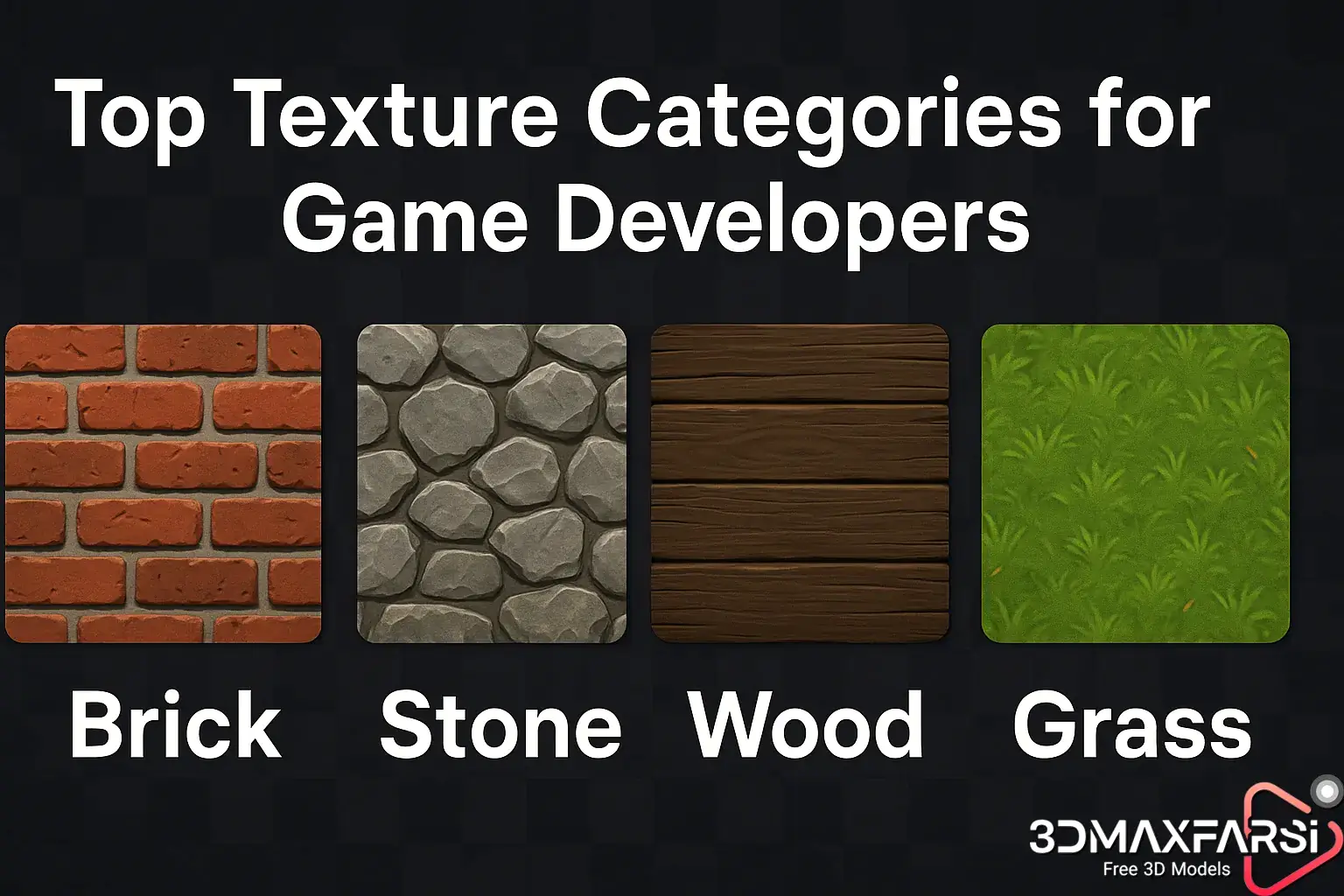
High-Resolution 3D Textures for Games: Top Texture Categories Every Developer Needs 🎮✨
Creating immersive, visually stunning games isn’t just about models and lighting—high-resolution 3D textures play a huge role! Whether you’re crafting a hyper-realistic AAA title or a stylized indie gem, the right textures can make or break your game’s aesthetic.
But with so many texture types out there, where do you start? 🤔
In this guide, we’ll break down:
✔ Why high-res textures matter
✔ Top texture categories for game devs (with examples!)
✔ Common questions answered
✔ Bonus tips for optimizing textures
Let’s dive in! 🚀
Why High-Resolution 3D Textures Are a Game-Changer 🖼️
Before we list the must-have textures, let’s talk about why they’re essential:
✅ Realism & Detail – 4K/8K textures bring surfaces to life (think weathered wood, cracked concrete.
✅ Immersion – Players notice tiny details (like scratches on metal or fabric wrinkles).
✅ Performance Balance – Smart texture use (with mipmaps & compression) keeps games smooth.
✅ Artistic Style – Even cartoony games need high-quality textures for consistency.
Now, let’s explore the top texture categories you should include in your library.
🔥 Top Texture Categories for Game Developers
Here’s a breakdown of the most-used texture types in game dev, plus examples:
| Category | Best For | Examples |
|---|---|---|
| PBR Textures | Realistic surfaces (metals, stone) | Rusty iron, marble, leather |
| Tileable Textures | Repeating patterns (floors, walls) | Brick walls, cobblestone, sand |
| Decals | Adding details (dirt, blood, logos) | Bullet holes, graffiti, stains |
| Foliage | Trees, grass, plants | Palm leaves, pine needles, flowers |
| Fabric/Cloth | Clothing, banners, curtains | Denim, silk, burlap |
| Sky & Clouds | Dynamic skies, weather effects | Stormy clouds, sunset gradients |
| UI/HUD Elements | Menus, icons, health bars | Sci-fi panels, medieval scrolls |
1. PBR Textures (Physically Based Rendering) 🏗️
These are the gold standard for realism. PBR textures simulate how light interacts with materials.
- Metallic/Roughness maps – Control reflectivity & surface imperfections.
- Albedo maps – Define base color (without lighting/shadow tricks).
💡 Pro Tip: Use Substance Painter or Quixel Megascans for industry-grade PBR textures.
2. Tileable Textures 🔄
Need a texture that repeats seamlessly? Tileable textures save memory and time.
- Use cases: Terrain, roads, dungeon walls.
- Watch out for: Visible repetition—break it up with decals!
3. Decals 🩹
Small but mighty! Decals add instant detail without heavy geometry.
- Examples: Mud splatters, cracks, posters.
- Best for: FPS games, post-apocalyptic scenes.
4. Foliage Textures 🌿
From dense forests to alien jungles, foliage textures define biomes.
- Alpha-cutout textures – For realistic leaves (saves polygons).
- Wind-animated textures – Grass swaying in breeze.
5. Fabric & Cloth Textures 👕
Clothing, flags, and tents need realistic folds and wear.
-
Look for: Wrinkle maps, weave patterns.
❓ Common Questions About Game Textures
Q: How big should game textures be?
A: It depends:
- Mobile: 512×512 to 1024×1024
- PC/Console: 2K (2048×2048) to 4K (4096×4096)
Q: What’s the best format for game textures?
A:
- PNG/TGA – Lossless (good for UI/icons).
- BC/DXT compression – Best for in-game textures (saves VRAM).
Q: Can I use AI to generate textures?
A: Yes! Tools like MidJourney or Stable Diffusion can help, but they often need manual tweaking for PBR workflows.
💡 Bonus: Optimizing Textures for Performance
Even high-res textures need optimization:
✔ Use Mipmaps – Reduces aliasing at far distances.
✔ Trim Unused Channels – Does your roughness map need an alpha channel? Nope!
✔ Atlas Textures – Combine small textures into one sheet (saves draw calls).
Final Thoughts 🎨
High-res 3D textures are non-negotiable for modern games. Whether you’re using PBR metals, seamless tiles, or lifelike foliage, picking the right textures elevates your game’s polish.
What’s your go-to texture pack? Let us know in the comments! 👇
(Need texture recommendations? Check out Quixel, Texture Haven, or Poliigon.)
🚀 Liked this guide? Share it with fellow devs! #GameDev #3DTextures #IndieDev
High-Resolution 3D Textures for Games (Part 2): Advanced Tips & Future Trends 🚀
Welcome back, texture enthusiasts! In Part 1, we covered the essential texture categories every game developer needs. Now, let’s level up with advanced techniques, industry trends, and pro workflows to make your textures pop even more!
🎨 Advanced Texture Techniques for Next-Level Realism
1. Parallax Occlusion Mapping (POM) 🏔️
Want depth without extra polygons? POM makes flat surfaces look 3D by shifting pixels based on camera angle.
✅ Great for:
-
- Brick walls
- Rocky terrain
- Damaged metal
❌ Avoid on:
-
- Low-end hardware (performance-heavy)
2. Triplanar Mapping 🌐
Tired of texture stretching on complex shapes? Triplanar mapping projects textures in 3 directions, eliminating seams on curved surfaces.
🔥 Perfect for:
- Organic models (rocks, trees)
- Sci-fi environments (rounded metals)
3. Texture Blending with Vertex Painting 🖌️
Manually blending textures (e.g., dirt + grass) is tedious. Vertex painting lets you dynamically mix textures in-engine.
| Software | Vertex Painting Support |
|---|---|
| Unreal Engine | ✅ (Built-in with Landscape Material) |
| Unity | ✅ (Shader Graph/Amplify) |
| Blender | ✅ (Weight Paint + Modifiers) |
🔮 Future Trends in Game Textures
1. AI-Generated Textures (Beyond Basic Noise) 🤖
Tools like NVIDIA Canvas and Adobe Substance 3D Sampler now use AI to:
- Auto-generate seamless PBR textures from doodles.
- Upscale low-res textures without losing detail.
💡 Example: Sketch a “mossy rock,” and AI generates albedo + roughness maps in seconds!
2. Nanite-like Virtual Textures (No More LODs?)
Epic’s Nanite tech eliminates traditional LOD models—could virtual textures do the same for surfaces?
- How it works: Stream ultra-high-res textures dynamically.
- Benefit: No more “blurry” close-ups!
3. Procedural Texture Generation (Houdini + Substance) 🌀
Why manually create 100 rock variations when procedural tools can do it automatically?
📌 Top Tools:
- Houdini (for procedural patterns)
- Substance Designer (for parametric materials)
🛠️ Texture Pipeline: From Artist to Engine
Ever wondered how AAA studios manage thousands of textures? Here’s a simplified workflow:
- Concept & Reference → Gather real-world photos/Pinterest boards.
- Create Base Material → Use Substance Painter/Photoshop.
- Generate Maps → Export albedo, normal, roughness, etc.
- Optimize → Resize, compress, and pack channels.
- Import to Engine → Set up material instances for reuse.
⚠️ Biggest Mistake? Skipping texture atlasing—merging small textures saves draw calls!
❓ More Burning Questions (Answered!)
Q: “Should I use photogrammetry for textures?”
A: Yes, but carefully!
- 👍 Pros: Ultra-realistic scans (Quixel Megascans uses this).
- 👎 Cons: Requires cleanup (lighting artifacts, uneven scaling).
Q: “How do stylized games handle textures?”
A: They use hand-painted/albedo-driven workflows (no PBR). Examples:
- Genshin Impact – Flat colors + subtle shadows.
- Team Fortress 2 – Bold, comic-book-style contrasts.
Q: “What’s next after 4K textures?”
A: 8K + AI super-resolution—but focus on smart streaming over raw resolution.
🏆 Pro Tip: Texture Checklist Before Launch
Before shipping your game, audit textures with this list:
✔ No visible tiling/repetition (use decals/variations).
✔ Consistent resolution (don’t mix 2K and 4K unnecessarily).
✔ Compressed formats (BC7 for color, BC5 for normals).
✔ Tested on target hardware (mobile vs. RTX 4090 = very different limits!).
Final Words 🌟
Textures are the skin of your game—they define its soul. Whether you’re using cutting-edge AI tools or classic hand-painting, remember:
“A great texture isn’t just pretty; it tells a story.”
What’s your favorite texture trick? Drop it below! 👇
What’s Next?🎮
💬 Let’s Discuss:
- Are you team procedural or team hand-painted?
- What’s the most challenging texture you’ve ever made?
#GameDev #3DArt #TexturingTips