Where to find the best PBR textures online 🎨🔍
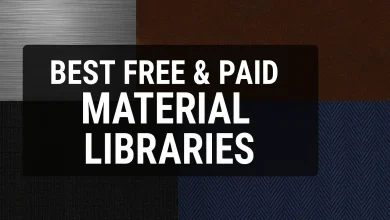
Best Free & Paid Material Libraries: Where to Find the Best PBR Textures Online 🎨🔍
Whether you’re a 3D artist, game developer, or architect, high-quality materials and PBR (Physically Based Rendering) textures can make or break your project. But where do you find them? 🤔
In this guide, we’ll break down:
✅ The best free & paid material libraries
✅ Top sources for PBR textures (with pros & cons)
✅ Common FAQs (like “What’s the difference between free & paid textures?”)
Let’s dive in! 🚀
Why Do You Need Good Material Libraries?
Before listing the best sources, let’s understand why they matter:
- Realism: PBR textures mimic real-world surfaces (metal, wood, fabric) accurately.
- Workflow Efficiency: Instead of creating textures from scratch, you save hours.
- Consistency: Professional textures ensure uniform lighting and shading.
Now, let’s explore the best places to get them!
🏆 Best Free Material Libraries (2024 Edition)
| Website | Pros | Cons | Best For |
|---|---|---|---|
| Poly Haven | 100% free, 4K-8K textures, CC0 license | Limited variety | Game dev, VFX |
| AmbientCG | High-quality, seamless PBR textures | No advanced search | Archviz, 3D art |
| Texture Haven | Free, easy to download | Smaller library | Beginners |
| Poliigon Free | Professional-grade free samples | Limited free options | High-end projects |
| CC0 Textures | Photorealistic, no copyright issues | Lower resolution options | Indie projects |
💡 Pro Tip: Always check the license—some “free” textures require attribution (CC-BY).
💰 Best Paid Material Libraries (Worth the Investment!)
If you’re working on commercial projects, paid textures offer higher resolution, better variety, and support. Here are the top picks:
| Website | Price Range | Why It’s Worth It | Best For |
|---|---|---|---|
| Poliigon | $10-$30/month | Industry standard, smart materials | Professionals |
| Quixel Megascans | Free (Unreal) / $19/month | Largest scanned PBR library | AAA games, films |
| TextureXYZ | $20-$100 per pack | Ultra-high-res (16K) textures | Hollywood VFX |
| Substance Source | $19.90/month | Procedural & handcrafted textures | Game studios |
| Arroway Textures | €50-€200 per pack | Photorealistic architectural textures | Archviz |
🔥 Hot Take: If you use Unreal Engine, Quixel Megascans is FREE—take advantage!
🎮 Where to Find the Best PBR Textures? (A Deep Dive)
PBR textures follow real-world physics, making them essential for modern 3D work. Here’s where to get the best ones:
1. Free PBR Texture Sources
- Poly Haven – Best for 4K-8K seamless textures (rocks, metals, fabrics).
- AmbientCG – Over 1,000 free PBR materials, great for Blender users.
- Texture Haven – Simple, no-frills downloads (wood, concrete, tiles).
2. Paid PBR Texture Giants
- Megascans – Scanned from real life, perfect for hyper-realism.
- Poliigon – Smart materials (auto-tiling, displacement maps included).
- Substance Source – Procedural textures (endless customization).
📌 Quick Comparison:
| Feature | Free Textures | Paid Textures |
|---|---|---|
| Resolution | Up to 4K-8K | Up to 16K+ |
| Variety | Limited | Massive libraries |
| Support | Community-based | Official support |
| License | Often CC0 | Royalty-free for commercial use |
❓ FAQs: Your Burning Questions, Answered!
Q: Are free PBR textures good enough for professional work?
✅ Yes, if:
- You’re on a budget.
- The project doesn’t require ultra-high detail.
- You use Poly Haven / AmbientCG (high-quality free options).
❌ No, if:
- You need 16K textures for close-up shots.
- You want unique, niche materials (like rare fabrics).
Q: What’s the difference between PBR and regular textures?
- PBR = Simulates real-world light interaction (metalness, roughness).
- Regular textures = Flat colors/patterns without physics-based shading.
Q: Can I use Quixel Megascans for free?
Yes! If you use Unreal Engine, Megascans is 100% free. Otherwise, it’s $19/month.
🎯 Final Verdict: Which Should You Choose?
| Scenario | Best Pick |
|---|---|
| Hobbyist / Student | Poly Haven, AmbientCG (Free + high quality) |
| Indie Game Dev | Quixel Megascans (Free in UE5) + Texture Haven |
| Professional Studio | Poliigon / Substance Source (Premium features) |
| Architectural Viz | Arroway Textures (Ultra-realistic surfaces) |
🚀 Conclusion: Start Texturing Like a Pro!
Whether you go free or paid, there’s a perfect material library for your needs. Here’s a quick recap:
🔹 Best Free: Poly Haven, AmbientCG
🔹 Best Paid: Poliigon, Quixel Megascans
Now, go make something amazing! 🎨✨
Got a favorite texture site? Drop it in the comments! 👇