Adobe AIR 51.3.3.1 Free Download for Win/Mac + SDK ⚡️ (Direct Links)

Hey everyone! If you’ve been pulling your hair out trying to run an old desktop game or a legacy business application on your shiny new Windows 11 or macOS Sonoma, take a deep breath. I’ve been there, and honestly, the solution is usually a single, overlooked runtime that Adobe quietly keeps updating.
Today, we’re going deep into Adobe AIR 51.3.3.1. I’m not just giving you a random link; I’m going to explain exactly why this specific version (and its SDK counterpart) is a lifesaver, based on my own recent struggle trying to get an old 3D modeling tool working for a freelance project. The app kept crashing on launch, and it turned out the culprit was a missing AIR dependency. So, let’s fix your problem the same way I fixed mine.
What Exactly is Adobe AIR? 🤔 (And Why Should You Care?)
Let’s cut through the technical jargon. A decade ago, a huge chunk of desktop apps, mobile games, and even enterprise video players were built using Flash technology. When browsers dropped Flash support, many of these .air or .exe packaged apps didn’t just vanish—they broke.
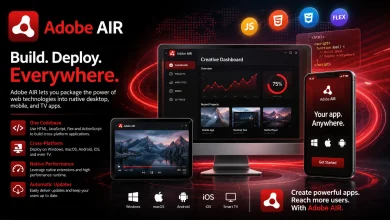
Adobe AIR (Adobe Integrated Runtime) is the bridge that keeps these apps alive. Think of it as a translator. It lets applications coded in ActionScript, HTML, and JavaScript run natively on your computer without a browser. Version 51.3.3.1, released in mid-2024, is critical because it contains the final security patches to keep that bridge stable and safe from vulnerabilities.
If you download a file with the .air extension, double-clicking it will do absolutely nothing unless you have this runtime installed.
What’s New in Version 51.3.3.1? 🔧 (Android & Security Focus)
I know we’re focusing on Windows and Mac, but this specific release is massive for stability. After HARMAN took over the development from Adobe, they’ve been obsessed with platform compatibility. Here is what this version nails:
-
Android API Level 34 Support: While you are here for a desktop download, this update ensures that if you are a developer packaging a mobile APK with the SDK, your app won’t be rejected by Google Play for being outdated.
-
macOS Sonoma Ventura Patch: Apple’s constant Gatekeeper updates often block older AIR apps. This runtime bypasses those false-positive “damaged” error messages.
-
Security Certificates Update: Critical for secure network communication in your apps.
Adobe AIR 51.3.3.1 Download for Windows 💻
Let’s get you the file. For a standard user who just wants to run an app, you don’t need the SDK. You just need the runtime installer. It sits quietly in your system tray until an app needs it.
- file Format: .iso
- Compatibility: (Win/Mac+ SDK)
Adobe AIR 51.3.3.1 Win/Mac + SDK [Free download]
This content is free :)
Just Log in to 3dmaxfarsi 👇
I personally recommend the offline installer over the stub installer because the stub often fails if your antivirus is on high alert mode. Here is the breakdown:
Filename: AdobeAIRInstaller_51.3.3.1.exe Platform: Windows 10/11 (64-bit & 32-bit compatible) File Size: Approx 14.8 MB Installation Tip: Right-click the installer and select “Run as Administrator” to avoid registry write errors. I learned this the hard way when the progress bar froze at 85%.
Adobe AIR 51.3.3.1 Download for Mac 🍎
Mac users, I feel your pain. Usually, when you try to open the installer, macOS throws a pop-up saying “The developer cannot be verified.” Don’t panic. This isn’t a virus; it’s just Apple being overly cautious with slightly older code-bases.
After you download the .dmg file, mount it, but if it blocks you, just head to System Settings > Privacy & Security and click “Open Anyway.”
Filename: AdobeAIR.dmg (Version 51.3.3.1) Platform: macOS (Supports Intel and Apple Silicon via Rosetta 2) File Size: Approx 20 MB Requirement: macOS 10.12 (Sierra) or later.
What About the AIR SDK 51.3.3.1? 🛠️ (For Devs & Tinkerers)
Now, this is the section for the “pro” users. I recently dabbled with Adobe Animate to tweak an old Flash game (don’t judge me, it’s nostalgic). If you are compiling code using an IDE or command line, the runtime alone won’t cut it. You need the SDK (Software Development Kit).
This is a zip package containing compilers, frameworks, and debugging tools. You don’t “install” this; you usually just extract it and point your editor (like VS Code or Flash Builder) to this folder.
Managed by HARMAN: This SDK is no longer just “Adobe’s.” HARMAN handles the gritty system-level integrations now. Captive Runtime Bundling: The SDK allows you to package the runtime inside your app. This means your user never needs to download AIR separately. This feature in 51.3.3.1 is super stable. Command Line Tools: Access to
adt.bat (Windows) or adt (Mac) to package .air or native installers.
Quick Comparison: Runtime vs. SDK
Choosing between these two is like choosing between playing a video game and developing one. This table should clear things up quickly:
| Feature | Adobe AIR Runtime (v51) | Adobe AIR SDK (v51) |
|---|---|---|
| Purpose | Running existing apps | Building new apps |
| Install Method | Click Next > Finish | Manual folder extraction |
| Who Needs It? | General users, gamers | Developers, designers |
| File Type | Executable (.exe/.dmg) | Compressed Archive (.zip) |
| System Impact | Background process | None (runs on demand) |
Why Isn’t My AIR App Working? (Common Fixes) 🛠️
Even after installing version 51.3.3.1, sometimes things just refuse to work. I nearly threw my mouse across the room last week because an old RPG maker game kept giving me a “Fatal Error.” Here are the sanity checks I run through now before reinstalling Windows:
-
The “Black Screen” Bug: This happens a lot on Macs with Retina displays. Right-click the app, get info, and check “Open in Low Resolution.” Works like a charm.
-
Missing Visual C++: On Windows, AIR apps often require specific Visual C++ redistributables. If the app crashes silently, install the 2010 and 2013 x86 versions.
-
Certificate Expiry: If the app was signed with a certificate that expired in 2023, even the latest runtime can’t save it. You’ll need to set your system clock back temporarily (annoying, but it’s a classic fix).
-
Conflicting DLLs: If you are a developer mixing SDKs, make sure your global classpath isn’t pointing to an old
playerglobal.swc.
My Personal Take on This Legacy Runtime 🧓
Honestly, I have a love-hate relationship with Adobe AIR. It’s like that old pickup truck that keeps breaking down, but you can’t afford a new Tesla. It’s clunky, resource-heavy compared to modern Electron apps, but the fact that HARMAN managed to push out version 51 to keep 10-year-old code running on Windows 11 is kind of heroic.
I still prefer AIR apps to bloated modern web wrappers for simple tools like screen rulers or color pickers. They feel snappier, using less RAM than Chrome-based alternatives. If you’re just here to get your favorite legacy tool running, you’re making the right choice ignoring the “Adobe AIR is dead” crowd. It’s not dead; it’s just… retired and supported by a different company now.
Frequently Asked Questions (FAQ) ❓
Is Adobe AIR safe to install in 2026?
Yes, version 51.3.3.1 is actively maintained by HARMAN with up-to-date security patches. It is safe, provided you download it from the official repository and not random “speed-up” sites.
Do I still need Flash Player if I have AIR?
No! This is a massive misconception. Adobe AIR has the Flash runtime baked in internally. You should actually uninstall the standalone browser Flash Player for security reasons. AIR handles everything offline independently.
Can I install the SDK if I already have the Runtime?
Absolutely. The SDK is just a folder of tools for compiling. It doesn’t conflict with the background runtime service you use to play games. Keep both if you’re a tinkerer.
Final Verdict: Get Your Apps Running Again ✅
Look, I know it’s not the most glamorous software to download in 2026. It doesn’t have AI features or fancy dark-mode transitions. But when you double-click that old .air file and your favorite classic utility from 2012 pops up instantly on your modern OS? That feeling of relief is pure gold.
Stop browsing shady forums looking for “missing .dll” fixes. Just get the runtime, install it, and get back to work (or playing).
Final Tip: Always keep a backup of the AIR installer versions that work perfectly with your specific app. HARMAN updates frequently, and sometimes, a niche legacy app prefers version 50 over 51. Don’t delete the installer after you’ve finished downloading it!