3ds Max – ArchViz Tools Generators Updated April 2026
Useful tools & scripts for 3D Architectural Visualization
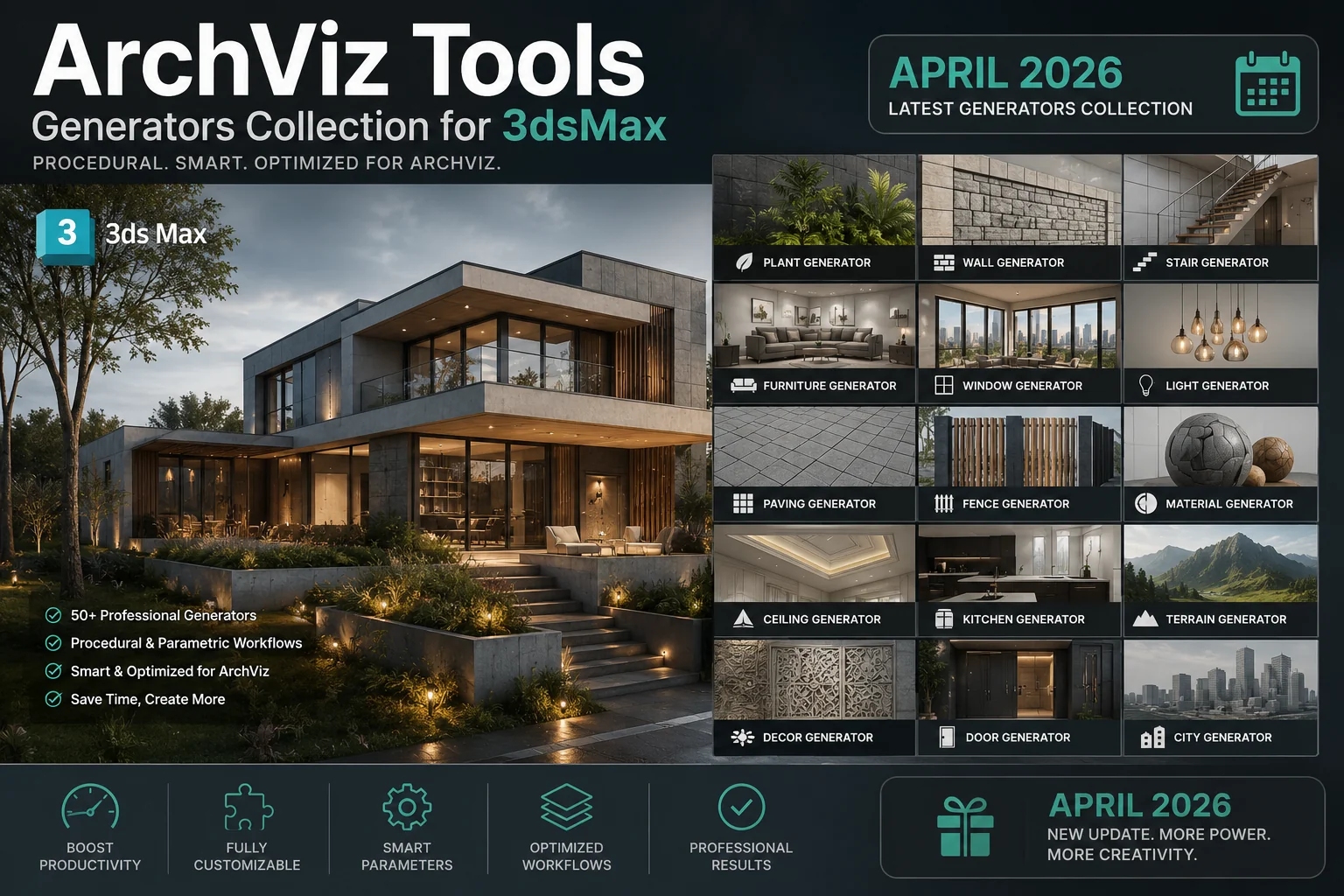
🚀 Ultimate 3ds Max ArchViz Tools Generators Package (Updated April 2026) – Your Complete Workflow Revolution
Are you tired of spending countless hours modeling boring, repetitive architectural details? Do you wish you could snap your fingers and instantly generate complex windows, kitchens, or even realistic ocean waves? 🧞♂️ Well, grab your favorite mug of coffee ☕, because today we are diving deep into the ultimate game-changer for architectural visualization artists: the 3ds Max ArchViz Tools Generators Package, freshly updated for April 2026!
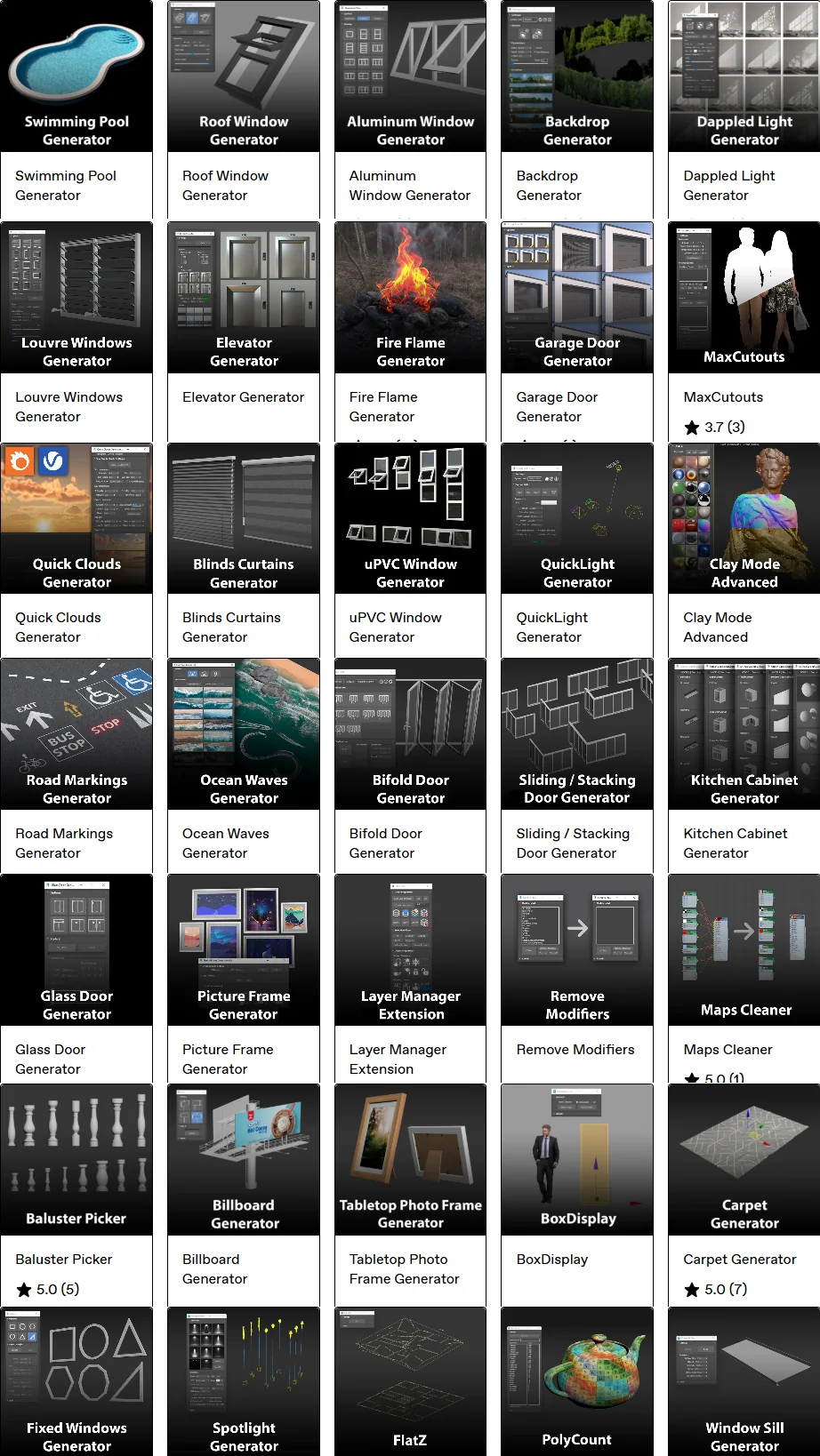
This isn’t just a random collection of scripts; this is a meticulously curated powerhouse of 26 professional plugins designed to automate the mundane, eliminate human error, and inject pure realism into your scenes. Whether you are modeling a cozy residential interior or a massive commercial high-rise, this package is your new best friend. Let’s break down every single tool that makes this bundle absolutely unmissable. 👇
3ds Max – ArchViz Tools Generators Updated April 2026 download
3ds Max – ArchViz Tools Generators Updated April 2026
This content is restricted to paid subscribers
🪟 Why You Absolutely Need This ArchViz Plugin Suite
Before we get into the nitty-gritty, let’s talk about the why. In the fast-paced world of ArchViz, speed equals profit, but quality equals reputation. You can’t sacrifice one for the other. ⚖️
Manually modeling window frames with correct mullions, glass chamfers, and sill profiles can take 30 to 45 minutes per window. Now imagine a house with 15 different window types. That’s a full day’s work gone. With the tools in this April 2026 updated package, that same task takes 30 seconds. That’s the power of procedural generation inside 3ds Max. 🚀
🏠 The Full Breakdown: 26 Tools to Dominate Your Scene
Here is the complete treasure map of what you get. Each of these generators has been updated to ensure compatibility and speed in the latest 3ds Max environments.
🪟 Windows, Doors & Openings – The Architectural Backbone
1. 🪟 Aluminum Window Generator 2.0
Say goodbye to box-modeling frames. This tool creates sleek, modern aluminum profiles with intelligent corner joints and realistic glass thickness. Perfect for commercial buildings or ultra-modern homes. It supports multiple sash configurations and handles complex mullion patterns with ease.
2. 🚪 Bifold Door Generator 3.0
A massive update for 2026! This isn’t just a door; it’s a system. Fold, slide, and stack doors with perfect panel spacing. You control the number of leaves, the folding direction, and even the track thickness. Ideal for those seamless indoor-outdoor living visualizations.
3. 🪞 Glass Door Generator 2.0
Need a frameless shower door or a chic office partition? This generator handles edge polishing visuals, hinge placements, and handle cutouts. The updated version adds a “wet glass” material option for bathroom scenes. 🛁
4. 🖼️ uPVC Picture Frame Generator 2.0
Not every window opens! For large fixed glazing units, this is your go-to. It creates photo-realistic uPVC frames with weld seams and drainage slots, wrapping perfectly around your structural openings.
5. 🪟 uPVC Sliding Door Generator 2.0
Two, three, or even four-track sliding systems can be generated in one click. The April 2026 update includes insect screen mesh generation and realistic roller mechanisms visible in the track. 🦟
6. 🪟 uPVC Window Generator 2.0
The classic workhorse. Casement, awning, tilt-and-turn—name the style, and this tool builds it. It automatically cuts holes in your existing wall geometry and populates the correct handles and hinges.
7. 🛠️ Window Sill Generator 1.0
The unsung hero of exterior details! A window without a sill looks incomplete. This tool lets you sweep custom profiles along the bottom edge of any window, adding internal and external sill horns, drip grooves, and thickness variations instantly.
8. 🏛️ Baluster Picker 1.0
Stairs and balconies eating up your time? Select a spline path, pick a baluster style from your library, and watch the array populate with perfect spacing and random rotation offsets for an organic, hand-crafted look.
9. 🎭 Backdrop Generator 2.0
Stop using flat planes with stretched textures outside your windows. This tool creates a curved cyclorama environment perfectly aligned with your camera, applying your chosen cityscape or landscape with correct perspective mapping for instant environmental reflection realism. 🌆
🛋️ Interiors & Detailing – The Soul of the Space
10. 🍳 Kitchen Cabinet Generator 4.0
This is a heavy hitter. Version 4.0 now includes fully parametric shaker, slab, and handle-less European styles. Draw a spline; get a kitchen. It automatically places kickboards, adjusts door gaps, and even places sinks and cooktops based on your input. The April 2026 update adds soft-close hinge indicators and realistic interior shelving. 🍽️
11. 🪟 Blinds Curtains Generator 1.0
Fabric can kill realism if done poorly. This physics-aware tool drops Venetian blinds, roller shades, or flowing curtains based on your window width. Adjust slat angle, fabric gathering, and bunching with simple sliders.
12. 🧶 Carpet Generator 1.0
Using hair and fur for rugs is so 2020. This generator creates actual geo-strand carpets with edge fraying, displacement maps, and color variance. It’s memory-efficient and renders beautifully in Corona and V-Ray. 🧶
13. 🖼️ uPVC Picture Frame Generator 2.0
Wait, we mentioned this above? That’s because it is so good, it works for both exterior windows and interior wall art! Use it to frame large wall canvases or mirrors with a modern, thin uPVC profile.
14. 🚧 Road Markings Generator 2.0
Bringing the outdoors in? This generator is fantastic for context modeling. Apply dashed lines, solid lines, stop text, and directional arrows onto any asphalt surface. It conforms perfectly to curving roads using the path deform technique. Great for site plans. 🅿️
💡 Lighting & Atmosphere – Setting the Mood
15. ☀️ Dappled Light Generator 2.0
This is pure magic. Project sunlight through an invisible tree canopy to get beautiful caustic-like shadows on your interior walls and floors. The 2026 update includes animated caustic gobos for moving clouds! Breathe life into empty sunlit rooms. 🌳
16. 💡 QuickLight Generator 1.4
Stop importing IES profiles blindly. This tool visualizes the light cone in the viewport, lets you adjust color temperature, lumens, and IES rotation, and instantly places a light (Corona, V-Ray, or Arnold) targeted exactly where you need it.
17. 🔦 Spotlight Generator 2.0
Gallery lighting made easy. Perfectly spaced track lights or downlights with automatic attenuation. You pick the ceiling, define the spacing, and the script calculates the beam angle to avoid dark spots on the wall.
18. 🔥 Fire Flame Generator 1.0
Need a cozy fireplace or a dramatic outdoor fire pit? This generates a volumetric-looking flame mesh with a pre-built animated noise modifier stack, ready for your emissive shader. Render a moving flame without heavy simulations. 🔥
19. 🌊 Ocean Waves Generator 1.1
Creating a sea-side villa? Don’t use a boring bump map. This tool generates realistic, procedural Gerstner wave geometry that is navigable and tileable. It creates infinite ocean surfaces with realistic cresting peaks. Perfect for those infinity pool renders. 🌊
🛠️ Utilities & Workflow Boosters – The Hidden Gems
20. 📦 BoxDisplay 1.0
Do you have a messy library of entourage? BoxDisplay instantly turns selected high-poly objects into low-res placeholder boxes (while keeping the original on a hidden layer). This makes navigating your viewport a breeze without losing your link to the final render asset.
21. 🧱 Clay Mode Advanced 1.1
Better than the default override. This applies a uniform grey material to everything but intelligently preserves glass refraction and emission properties. This means your lighting setup looks correct even in clay mode! Essential for lighting previews.
22. 🗂️ Layer Manager Extension 2.0
3ds Max’s native layer manager is… basic. This extension adds color-coding, auto-grouping by material, and a “select all empty layers and delete” button. Keep your scene tree squeaky clean. 🧹
23. 🗺️ Maps Cleaner 2.3
The ultimate script for file submission. Lost files? Huge file paths? This tool strips missing map paths, relays relative paths, and converts obscure texture formats to standard ones like .jpg or .exr, ensuring you never send a dead project to a render farm again.
24. 🪴 Max Cutouts 1.0
Populating trees and people is tedious. Draw a spline line along a path, and Max Cutouts distributes randomly scaled and rotated 2D billboards facing the camera. Instantly create a lively street without cluttering the viewport with 3D geometry.
25. 📁 Proxy Display Manger 1.0
Flipping between “Point Cloud,” “Bounding Box,” and “Full Mesh” for hundreds of proxies manually is a pain. This manager gives you global control over the display mode of all Forest Pack, RailClone, or V-Ray/Corona proxies in your scene with one master slider.
26. 🧼 Remove Modifiers 1.3
Have 50 objects with a forgotten Turbosmooth collapsing the stack? This tool lets you remove specific modifier types from the entire selection hierarchy without collapsing the stack history on the base object layers. A data-safety must-have!
🤔 Is the April 2026 Update Worth It?
Absolutely! The developers have focused intensely on stability and viewport performance. The Kitchen Cabinet Generator 4.0 and Bifold Door Generator 3.0 alone bring features you would usually find in expensive BIM software straight into your 3ds Max viewport. Plus, the inclusion of the Maps Cleaner 2.3 and Layer Manager Extension 2.0 suggests a push toward professional pipeline integration, making this package suitable not just for solo artists but for studio heads too.
🎯 Final Thoughts: Stop Modeling, Start Designing
We entered this industry to design beautiful spaces, not to spend our days welding vertices. This 3ds Max ArchViz Tools Generators Updated April 2026 package hands you the keys to a fully automated modeling assistant. 🗝️
Imagine your next project:
- You block out the massing.
- You draw splines where windows, kitchens, and doors should be.
- You click “Generate.”
- You spend the rest of your time lighting, texturing, and, you know… designing!
It’s not just a time-saver; it’s a career-saver for your wrist and your sanity. Grab the package, update your toolkit, and let the robots handle the geometry while you claim the creative glory. ✨
Happy rendering, everyone! 🖥️💡