KeyHydra 2025 for 3ds Max 2022-2026 Win
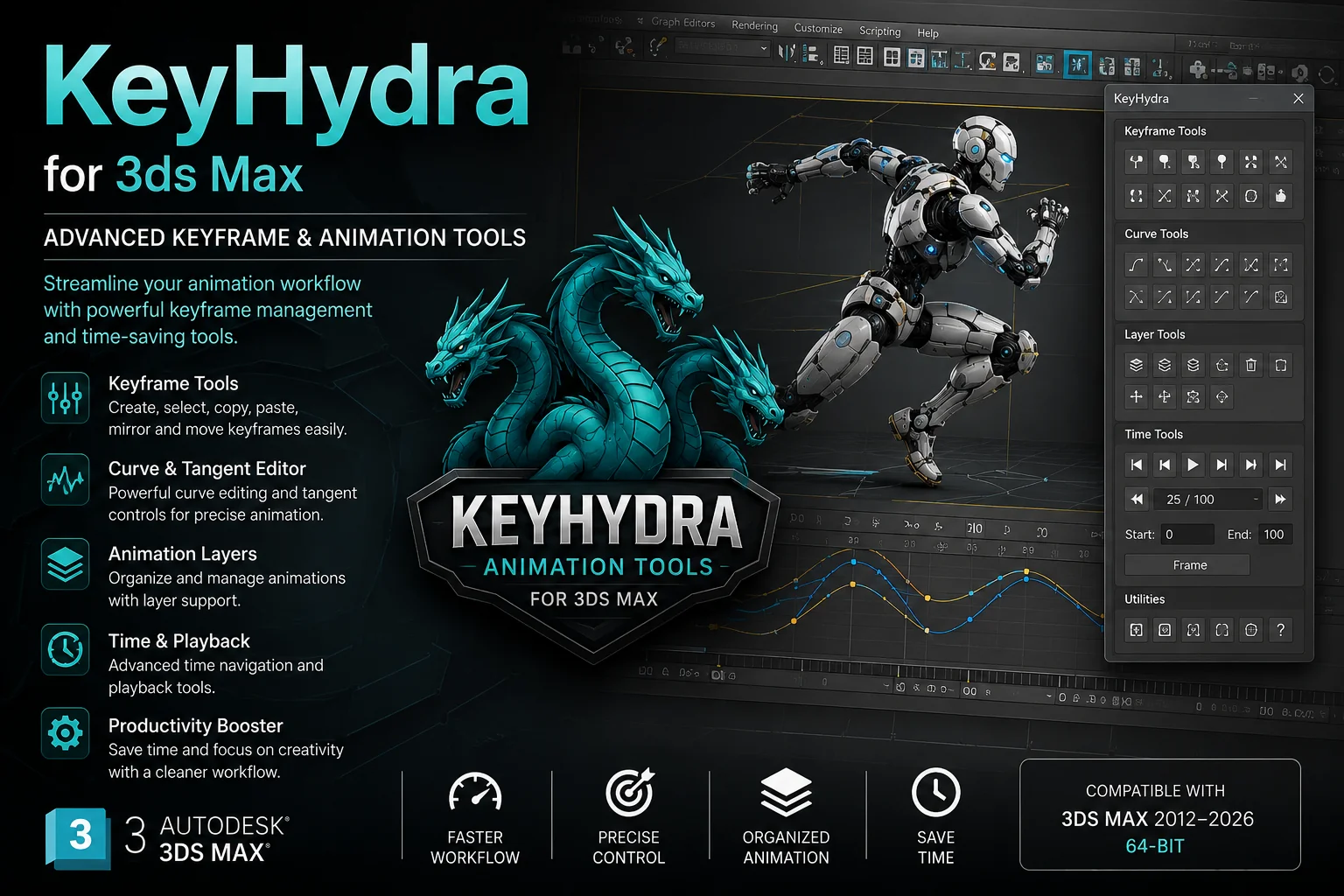
KeyHydra 2025 for 3ds Max 2022-2026 Win + Ultimate Workflow Guide
Supercharge your 3ds Max workflow! 🚀 Download KeyHydra 2025 for 3ds Max 2022 to 2026 and learn how to install and use this game changing plugin to model faster than ever before. Full guide inside!
Hey there, fellow 3D artist! 👋
Let’s be real for a second. How much of your day in 3ds Max is actually spent being creative, and how much is just… clicking? Clicking through menus, clicking tiny spinners, dragging the mouse back and forth a million times. It’s exhausting, right? 😩
Well, imagine a world where you barely touch the menu bar. A world where your modeling and scene navigation is so fluid, it feels like an extension of your own mind. That’s not a fantasy anymore. Let’s talk about KeyHydra 2025, the plugin that is going to completely change the way you interact with 3ds Max.
Ready to say goodbye to wrist pain and hello to lightspeed modeling? Let’s dive in! 🔥

KeyHydra 2025 for 3ds Max 2022-2026 Win
This content is restricted to paid subscribers
Installation:
1. Install KeyHydra for your version of 3ds Max.
2. Replace the .dlu in the plugins folder in the 3ds Max root folder with the correct one from the Fix folder.
3. Start 3ds Max and enjoy.
🤔 What Exactly IS KeyHydra Anyway?
In simple terms, KeyHydra is a powerhouse user experience plugin for 3ds Max. Its entire mission is to strip away all the repetitive, boring tasks that slow you down. We are talking about those relentless mouse clicks, constant parameter tweaks, and the never ending hunt through dropdown menus.
KeyHydra replaces all that clunky stuff with a set of super fluid, efficient, and intuitive tools. Think of it as your personal 3ds Max assistant that lets you stay focused in the viewport, keeping your creative flow going strong. You work smarter, and way, way faster. 🧠✨
🚀 Key Features That Will Make You a Speed Demon
Why is everyone so hyped about KeyHydra? Here are the features that will instantly become your new best friends:
1. A Viewport Overlay That Reads Your Mind
KeyHydra puts a smart, customizable overlay right on your viewport. It analyzes what you are doing (like selecting a vertex, edge, polygon, or object) and instantly shows you the most relevant tools. No more right clicking and searching. Just pure, immediate action. ⚡
2. Turbocharged Snapping & Precision
Say goodbye to fiddly snapping settings. With a simple shortcut, you can cycle through pivot positions, change the coordinate system, and snap to anything with incredible precision. It turns the already powerful snaps into a laser guided system. 🎯
3. Smart Selection Management
Selecting complex sub object components just got a massive upgrade. You can easily store, recall, and toggle between selections without losing your mind. It’s like having a photographic memory for every vertex and polygon you’ve ever touched. 🗂️
4. The All Powerful “Smart Click”
This is the magic sauce. A single click (or key press) can do different things depending on where your cursor is. Hovering over an edge? One click adds a loop. Over a polygon? One click extrudes. It adapts to you, making modeling feel incredibly dynamic and satisfying. 🖱️✨
5. See Everything Clearly with X-Ray Mode
Quickly toggle an X-Ray or ghosted mode on your selected objects, or even your entire scene. This is a life saver when you are working inside complex meshes, allowing you to see and select hidden components without constantly hiding and unhiding geometry. 💀👀
💻 How to Download and Install KeyHydra 2025
Alright, let’s get you set up! This works perfectly for 3ds Max 2022, 2023, 2024, 2025, and 2026.
Follow these steps carefully, my friend:
Step 1: Download the Plugin
First, you need to grab the installer file. Once you have the package, extract the zip file to a folder you can easily find, like your desktop.
Step 2: Close 3ds Max Completely
This is super important. Make sure the software is not running in the background. Save your work first, obviously! 😉
Step 3: Run the Installer
Inside the extracted folder, you will find the main installer file (usually an .exe or .mzp). If it’s an .exe, right click and Run as Administrator. Follow the simple on screen instructions. The installer is smart enough to find your 3ds Max versions for you.
Step 4: Manual Install (For .MZP Files)
If you have an .mzp file, drag and drop it directly into your 3ds Max viewport window. Alternatively, go to the top menu in Max: Scripting > Run Script, find the .mzp file, and open it. A dialogue box will pop up, just click “Install”.
Step 5: Find the License Key
After installation, go to your 3ds Max main menu bar. You will see a new “KeyHydra” menu. Click it and look for “License” or “Register”. This is where you’ll enter your information to activate the full version. ✍️
Step 6: Restart and Enjoy!
Once activated, restart 3ds Max one last time. You should now see the KeyHydra overlay in your viewport. Get ready to have your mind blown! 🤯
🛠️ A Quick Start Guide: How to Actually Use KeyHydra
Now that you have it installed, how do you not get overwhelmed? Start with these three simple workflows:
1. Master the SmartClick (Your New Default)
Don’t try to learn every feature at once. Just focus on the SmartClick tool. Activate it (usually bound to a key like ‘V’ or a middle mouse button action) and just hover over different sub elements. Watch how the cursor changes and the tooltips pop up. Practice doing a simple push/pull extrude on a box by hovering and clicking without pressing any other button. It feels magical. 🪄
2. Dominate Selections with the Overlay
Select an editable poly object. Now, go into Vertex mode. Immediately, the KeyHydra overlay will show you all the relevant vertex tools: Connect, Remove, Weld, etc. No right clicking! Just a single left click on the overlay button. This is 10x faster than the quad menu. 🔟
3. Set Up Your Favorite Snaps
Open the KeyHydra settings and find the Snapping section. Assign a single hotkey (like ‘Spacebar’) to cycle through your most used pivot points (e.g., Center, Bottom, Pivot). Now, as you move objects, you can instantly change their anchor point on the fly. It’s a game changer for arch viz placement. 🏢
✅ Final Thoughts: Is KeyHydra Worth It?
Look, in the world of 3D, time literally is money. The precious seconds you lose every day clicking around add up to hours over a week. KeyHydra 2025 is an investment in your speed, your efficiency, and honestly, your sanity. 😌
It takes a little bit of time to unlearn the old, slow ways, but once it clicks (pun intended!), you will never want to use default 3ds Max again. It makes the entire process more tactile, responsive, and just plain fun.
So, what are you waiting for? Grab KeyHydra 2025 for 3ds Max 2022-2026, dive in, and unleash your true creative speed! Happy modeling, and I’ll see you in the viewport! 👋💻



![[Free] Forest Pack Pro v.6.3.1 for 3ds Max](https://3dmaxfarsi.com/wp-content/uploads/2023/09/forest-pack-pro-3ds-max-free-download-390x220.webp "[Free] Forest Pack Pro v.6.3.1 for 3ds Max 6")