Quad Remesher v1.2 For Houdini download
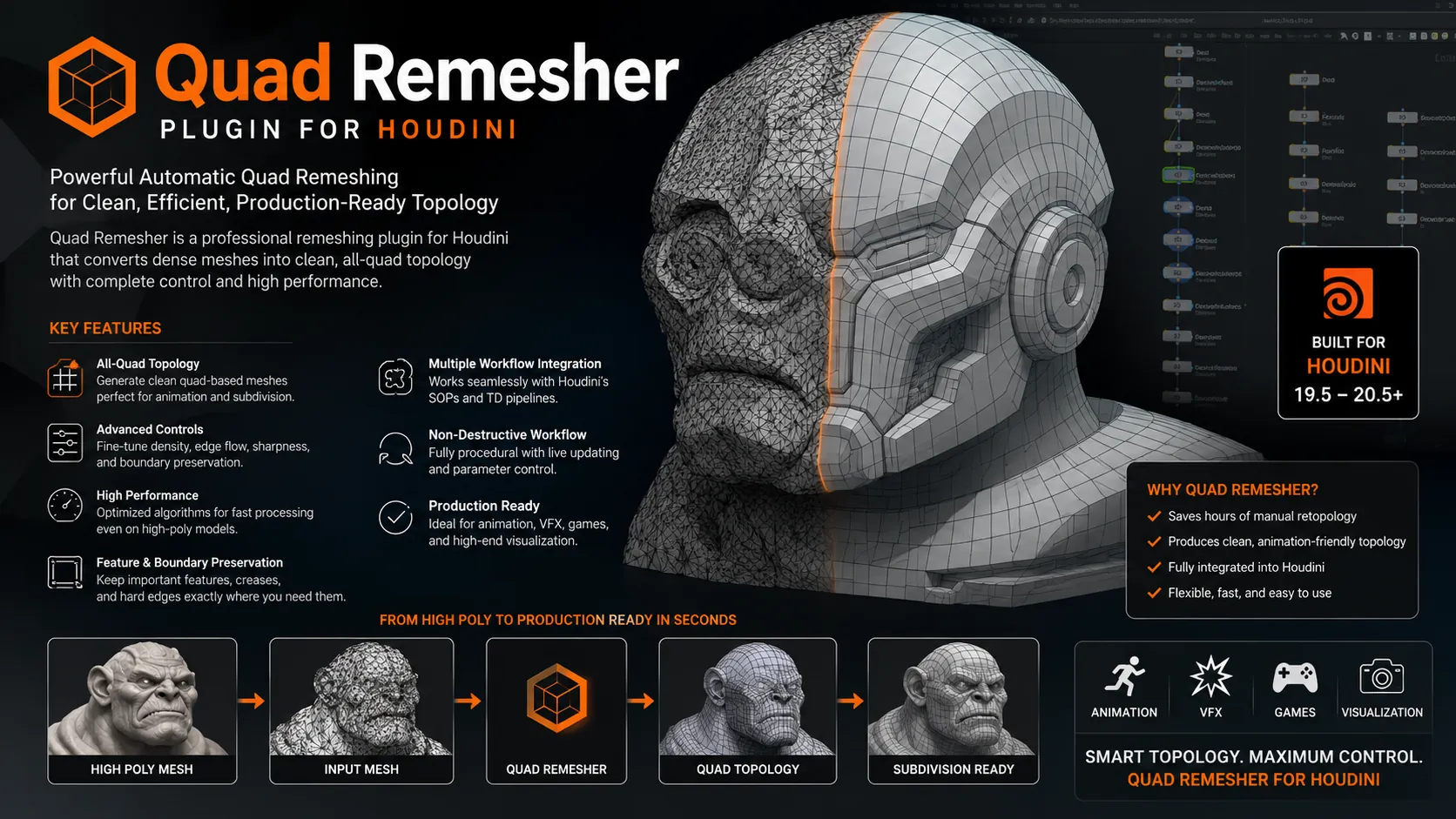
🚀 Download Quad Remesher v1.2 for Houdini (Win) – The Ultimate Auto Retopology Plugin
Tired of struggling with messy topology that ruins your renders and simulations? We have all been there. You spend hours modeling a crazy cool concept, but the mesh is a total nightmare to work with. That is where Quad Remesher v1.2 for Houdini swoops in to save the day.
This is not just another boring tool. It is literally magic for 3D artists. Whether you are into VFX, game dev, or motion graphics, getting clean quad geometry is finally a one-click job. Let’s dive into why this version is an absolute game changer and how you can grab it for your Windows machine right now. 🔥
Quad Remesher v1.2 For Houdini Win
This content is restricted to paid subscribers
What is Quad Remesher v1.2 For Houdini?
Alright, let’s keep it real. Manual retopology is the worst, right? It is slow and tedious. But you cannot skip it if you want professional results. Quad Remesher v1.2 For Houdini is a state-of-the-art automatic retopology tool created by Exoside. It basically automates the boring stuff so you can focus on the creative fun.
The plugin is a clever wrapper that connects directly to Exoside’s powerful command line interface inside Houdini. It takes your crazy, high-res sculpts or 3D scans and spits out beautiful, animation-ready quad meshes. It preserves the exact shape of your model but gives you that perfect edge flow you dream about. ✨
How The QuadRemesher Node Works Inside Houdini
So, what is actually happening under the hood? It is simpler than you think. The QuadRemesher node acts as a bridge. You just plug in your messy geometry, and it talks to the core engine.
The magic is in the wrapper. The node takes your Houdini geometry, sends it through Exoside’s command line interface, processes it with insane algorithms, and brings the clean mesh right back into your network. It is fully procedural, meaning you can tweak settings and see updates instantly without leaving Houdini. No exporting and importing nonsense. It just works. 💪
🎯 Key Features That Make It a Beast
Why is everyone switching to this tool? Because it is ridiculously good at its job. It literally simplifies the process of getting nice topology out of arbitrary geometry.
Here is a breakdown of why you need this in your pipeline:
Full Houdini Integration: Runs natively as a SOP node. No external apps needed. Quad Dominant Meshes: Generates pure quads that are perfect for subdivision and deformation. Smart Edge Flow: The algorithm detects hard edges and curvature to create logical loops automatically. Preserve Sharp Details: Keeps your mechanical edges sharp while smoothing organic areas. Material Boundary Support: Respects different material groups and creates hard seams between them. Adaptive Density: You can paint density maps to control where you want more polygons. Symmetry Detection: Automatically detects and maintains symmetry in your mesh, even if it is not perfectly centered.
🔧Quad Remesher v1.2 Workflow & Parameters
Using the tool is super straightforward. Once you install the Quad Remesher v1.2 For Houdini Win version, you will find the node ready to go. But to get the best results, you need to understand the main settings.
Target Quad Count
This one is obvious. You tell the tool how many polygons you want. You can go low for a base mesh or high to keep micro-details. Do not go crazy; just set a reasonable target count and let the algorithm do its thing.
Adaptive Size
This is my favorite feature. You can feed a density attribute into the node. It allows you to add more resolution only where it is needed, like the face of a character or the intricate parts of a jewelry piece. This keeps the overall polycount low while nailing the details.
Hard Edge Detection
You can control how the algorithm interprets sharp angles. By tweaking the detection angle, you can define exactly what counts as a hard edge. This is crucial for hard-surface modeling where you need crisp bevels but clean loops.
⚠️ System Requirements & Limitations
Before you hit that download button, let’s be real about the specs. This is an advanced plugin, and it needs some horsepower.
Operating System: Windows 64-bit only (this specific build). Host Application: SideFX Houdini (make sure your version is compatible, usually 18.5 and above). CPU: A fast multi-core processor is recommended. Remeshing is CPU-intensive. RAM: 16GB minimum. For heavy meshes, 32GB or 64GB is your best friend. GPU: The command line tool is CPU-based, so no specific GPU requirements, but a decent one helps for Houdini’s viewport.
A quick heads-up: Since the QuadRemesher node is a wrapper around Exoside’s QuadRemesher command line interface, you must ensure the licensing is valid. The bridge won’t work if the core engine is not activated. Always run a test on a simple sphere first to check your setup.
📥 How to Download and Install (Win)
Ready to get your hands dirty? The installation process is slightly different from regular Houdini plugins, but nothing too scary. Just follow these steps carefully.
Step 1: Download the package for Windows. Make sure you are getting v1.2 specifically. Step 2: Close Houdini immediately! Never install plugins while the host app is running. Step 3: Copy the plugin files into your Houdini “packages” directory (usually in your Documents/Houdini folder). Step 4: Configure the JSON file. You need to point the wrapper to where the Exoside command line tool lives on your PC. Step 5: Launch Houdini, drop a “QuadRemesher” node in the SOP context, and check if it initializes correctly. Step 6: Activate the license via the command prompt if it is your first time. Follow the instructions in the readme file.
Once you see that beautiful blue progress bar, you know you are in business. 🌊
💡 Why Topology Matters: Quick Comparison
Still wondering if auto retopology is worth it? Look at this quick side-by-side comparison of why you need Quad Remesher over raw scans or triangulated decimation.
| Feature | Raw Scan / Tri-Mesh | Quad Remesher Output |
|---|---|---|
| Edge Flow | Chaos. No logical loops. | Clean, smooth loops following curvature. |
| Deformation | Pinching and ugly artifacts. | Stretches perfectly, ideal for rigging. |
| UV Unwrapping | A total nightmare to cut. | Easy to select loops and unwrap. |
| Subdivision | Hardly works. Just breaks the shape. | Predictable and smooth surface subdivision. |
🏁 Final Words
Look, sculpting is art, but retopology is just math. And math should be done by a computer. Quad Remesher v1.2 for Houdini completely removes the technical bottleneck from your creative workflow.
If you are serious about professional 3D work on Windows, this is a must-have tool. It simply simplifies the process of getting nice topology out of arbitrary geometry better than anything else out there. Stop wasting time connecting dots manually. Let the algorithm do the heavy lifting while you grab a coffee. ☕
Happy rendering, and may your polygons always be quads! 🚀

![[Free] Chaos Envision 1.2.0.571824 Win x64](https://3dmaxfarsi.com/wp-content/uploads/2025/09/chaos-envision-390x220.webp "[Free] Chaos Envision 1.4.1 Win x64 3")
![[Free] Chaos Cosmos Browser [latest version]](https://3dmaxfarsi.com/wp-content/uploads/2025/10/chaos-cosmos-browser-download-390x220.webp "[Free] Chaos Cosmos Browser [latest version] 4")