[Download] Unity – RayFire for Unity v1.86
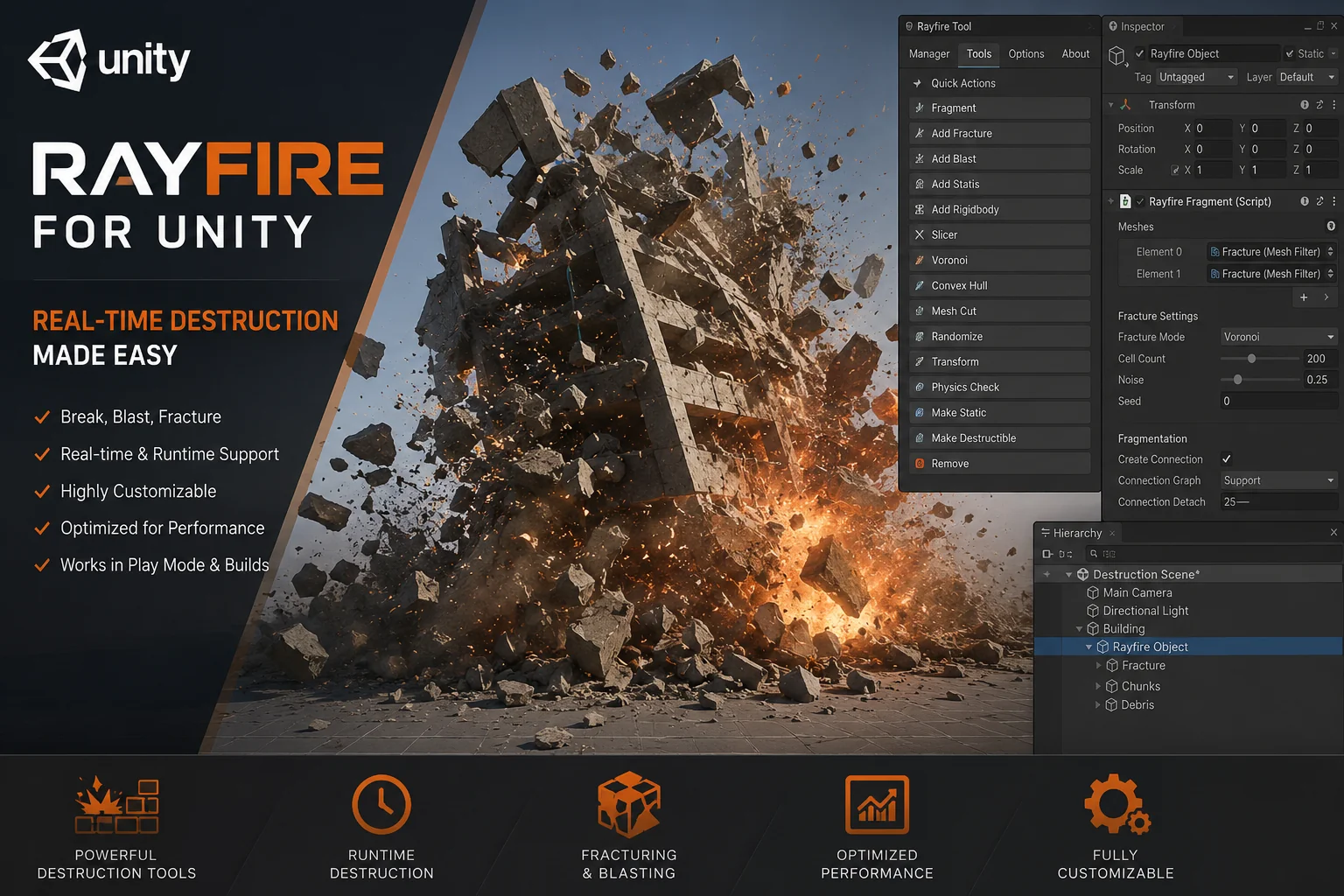
Unleash Epic Destruction: Download Unity – RayFire for Unity v1.86 🚀💥
Ever dreamed of bringing that blockbuster movie, Michael Bay-style destruction into your own Unity games? 😎 What if I told you that you don’t need to be a coding wizard to make entire buildings crumble, glass shatter, or bridges collapse in real-time? Well, grab your coffee ☕ and buckle up, because today we are diving deep into RayFire for Unity v1.86, the ultimate tool for dynamic destruction.
Forget boring, static environments. It’s time to let your players smash, explode, and slice through your game world! Let’s break down why this plugin is an absolute game-changer and how you can use it. 🛠️
[Download] Unity – RayFire for 3ds max
Unity – RayFire for Unity v1.86
This content is restricted to paid subscribers
📚 Mini-Tutorial: Your First Destruction in 60 Seconds! ⏱️
Ready to break something? Let’s set up a simple runtime demolition step-by-step. It’s ridiculously easy!
Step 1: The Setup
Create a simple object in your scene. Let’s say a cube, a wall, or a vase (GameObject > 3D Object > Cube). Position it in the air so it can fall nicely. 🧱
Step 2: Add RayFire Rigid
Select your object and add the RayFire Rigid component. This tells RayFire, “Hey, this object is ready to be demolished!” In the component settings, you set its “health” and what happens when it’s exhausted.
Step 3: Add RayFire Bomb (The Fun Part)
Create an empty GameObject and add the RayFire Bomb component. This is your explosive trigger. In the Bomb settings, you can define the explosion’s Range, Strength, and Damage. Place it right next to your Cube.
Step 4: Press Play & Click!
Hit the Play button ▶️ in Unity. In the RayFire Bomb component, you’ll see a nice big “Execute” button. Click it.
BOOM! 💥 Your cube will instantly fracture and pieces will fly everywhere based on the forces you set. You just created your first dynamic destruction event! Now, imagine attaching that bomb script to a grenade or a missile. The possibilities are endless! 🌌
🤔 What Exactly IS RayFire for Unity?
In simple, friendly terms, RayFire is your one-stop shop for breaking stuff. It’s an incredibly advanced destruction plugin. Think of it as giving your 3D objects the superpower to realistically fall apart. 🧱➡️🧱💨
With this tool, you can infinitely fracture, demolish, and slice 3D objects. The coolest part? You can do this both at runtime (as the player is playing) or directly in the editor while you’re designing your level. It’s not just about breaking things; it’s about giving you Advanced Dynamic Simulation Control. This means you get to decide exactly how your objects and their broken pieces behave, including activation triggers, dynamic clustering, and damage handling. We’ll dig into all that below! 👇
🚀 Key Features That Will Blow Your Mind
So, what makes RayFire v1.86 so special? Let’s get into the nitty-gritty of what you can actually do with it.
🧨 Infinite Fracturing & Demolition
This is the bread and butter. You can take any 3D object and shatter it into hundreds of pieces. But wait, it doesn’t stop there! You can then take one of those broken fragments and shatter that too. The cycle of destruction is endless, leading to some insanely satisfying visual results. Imagine a concrete pillar getting hit, breaking into large chunks, and then those chunks crumbling into dust as they hit the ground. Pure art! 🎨
🔪 Real-Time Slicing
Want to feel like a cyber ninja? 🥷 The slicing feature lets you cut objects dynamically at runtime. Think of a laser wall that cleanly slices a robot in half, or a sword that cuts through pillars like butter. The object doesn’t just disappear; it physically separates into two perfectly cut pieces based on the impact, all with realistic physics.
✨ Runtime & Editor Workflow
This is a massive plus for both developers and level designers. You can meticulously set up a beautiful, pre-shattered building in the editor, and with a single click, have it stand perfectly until a player touches it. Alternatively, you can script an explosion to fracture a fully intact object on the fly during gameplay. The flexibility here is a dream! 💭
💨 Advanced Dynamic Simulation Control
This is where the magic happens. It’s not just random breaking. You are the puppet master! Here’s what you can control:
-
Activation: Set a shattered wall to remain perfectly still and dormant. It will only activate and tumble down when the player walks by or a specific event triggers it. No more pre-collapsed ruins that look unnatural!
-
Dynamic Clustering: This genius feature lets broken fragments stick together to form larger, more realistic “chunks” before breaking off. Instead of a wall exploding into a million identical little bricks, it breaks into irregular, weighted sections that tumble and crash with incredible realism.
-
Damage Systems: You can progressively damage an object before it fails completely. Think of a car getting dented and deformed with each hit before finally falling apart.
💥 Forces, Shooting & Explosions
Unleash your inner action director! You can make objects explode from a central point, shoot at them with high-velocity impacts, or apply complex, custom forces to the fragments. An explosion will realistically push fragments outward, while a bullet impact will create a localized shatter effect. Pair this with particle effects, and you’ve got a recipe for absolute chaos. 💣
🔁 Editor Simulation Recording
Here’s a mind-blowing feature for optimization and cinematics. You can run a destruction simulation right in the editor, record the entire sequence, and then play it back at runtime as a baked animation. This is perfect for massive, scripted destruction events (like a falling skyscraper) without needing your player’s computer to calculate every single physics interaction in real-time. It looks insane, with zero performance cost during gameplay. 🤯
✅ Why Choose RayFire for Unity v1.86?
Honestly, if you want realistic, jaw-dropping destruction without spending months writing complex physics code from scratch, RayFire is the answer. Its performance is highly optimized, and the ability to record simulations is a lifesaver for keeping your frame rates smooth. The dynamic clustering alone makes the destruction feel generations ahead of simple “swap intact model for pre-broken model” techniques. It makes your world feel truly reactive and alive. 🌍❤️
Whether you are building an explosive first-person shooter, a whimsical physics puzzle game, or an architectural visualization that needs to show structural failure, this tool has your back. So go ahead, hit that download button, and start smashing things. Happy destroying, you magnificent agent of chaos! 😉🎉



![[Download] Maxtree – Plants Models Volume 2](https://3dmaxfarsi.com/wp-content/uploads/2024/12/maxtree-plants-models-vol-2-390x220.webp "[Free] Maxtree – Plant Models Volume 2 5")