Sigershaders XS Material Presets Studio
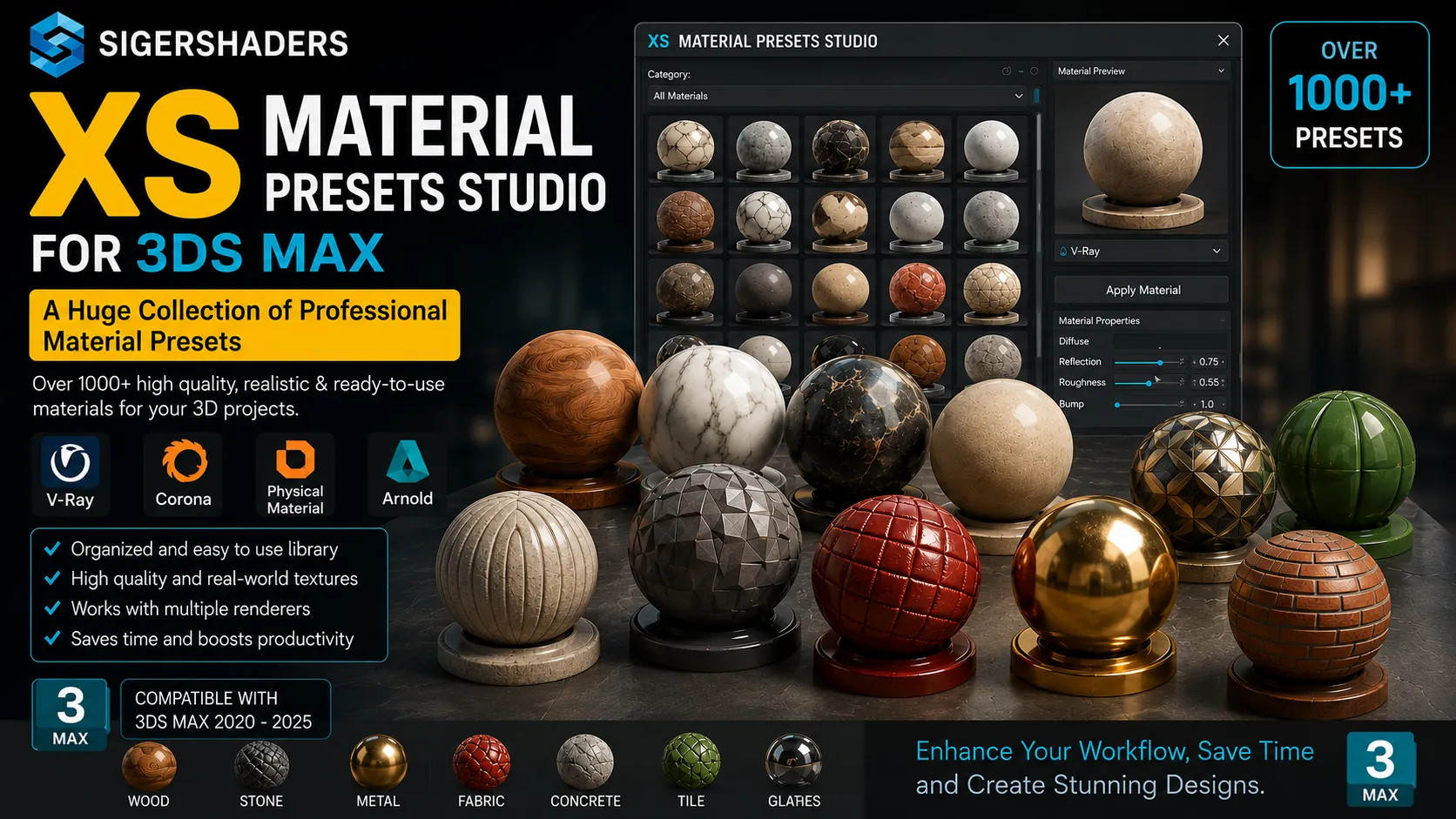
🚀 Download Sigershaders XS Material Presets Studio 2024 Full Version
If you are a 3D artist, architect, or designer working with 3ds Max, you know the pain of wasting hours searching for the right material or setting up shaders from scratch. It’s time to say goodbye to that struggle! 😎
Today, I’m going to introduce you to the ultimate Swiss Army knife for materials: Sigershaders XS Material Presets Studio Edition. We will dive deep into why this is an absolute must-have tool and how you can grab the Sigershaders XSMP Studio download to speed up your workflow like crazy.
Let’s get that render-ready juice flowing! ✨
👇 SigerShaders XS Material Presets Studio v8.3.5 👇
This content is restricted to paid subscribers
🏆 What is Sigershaders XS Material Presets (XSMP) Studio?
Honestly, this is not just a random library of textures. The Siger Studio’s XS Material Presets for 3ds Max is the legendary continuation of the famous plugins family you already love: V-Ray Material Presets Pro (VMPP), Corona Material Presets Pro (CMPP), and Material Repository Pro (MRP).
But wait, it’s not just an update. It’s a beast completely created from scratch. 💪
The idea goes way back to 2006, starting as a simple free MaxScript. The commercial hardcore version hit the market in 2009 using C#. Now? It’s a powerful C#/C++ monster featuring thousands of material presets, a lightning-fast manager, and a lab for testing your textures.
If you are looking for high quality and ready-to-render results, the Siger Studio XSMP full version is exactly what your toolkit is missing.
🎨 Why You Absolutely Need This Plugin
Let’s face it, the native 3ds Max material browser is slow and clunky. You don’t want to browse through five libraries just to find a decent wood texture. The Sigershaders XSMP download integrates directly into your host app, meaning no extra modules, no lag, just pure efficiency.
Key Reasons to Get It Now:
Stop wasting time on manual shader creation and use pre-built 4K+ texture maps. Fully integrated into 3ds Max; manage everything without leaving your viewport. Search live by just typing keywords instead of digging through folders. One-click assignment to selected objects or material slots.
⚙️ XSMP Material Manager: Speed Meets Organization
The heart of this plugin is the XSMP Material Manager. You no longer need to load multiple libraries just to crash your system. 😤
The Manager uses a super clean hierarchy system. You can create unlimited libraries, virtual categories, and folders in any depth you desire. It’s optimized for those chaotic 3 AM project crunches where you need to find a specific scratched metal instantly.
Here is how the workflow looks:
Live Filtering: Just type “concrete dirty” and watch the magic happen. It searches by name, type, and description. Multiple Previews: You can generate native previews and even import up to 3 additional images per material. Zoom in to see every tiny detail before applying. Direct Assignment: You can push the material straight into the Compact or Slate Material Editor, or drop it directly onto your selected object.
🧪 The Material LAB: Don’t Guess, Test!
One of the coolest features in the Siger Studio XSMP Studio Edition is the Material Lab. Stop doing blind test renders on a random teapot. 🫖
The Material Lab contains professionally crafted scenes divided into different sizes (centimeters/inches, Real-World Scale) and types. Whether you need to check the glossiness of a tile or the sub-surface scattering of a marble, you load the custom scene and you know exactly how the material behaves in a real lighting environment.
The lab includes custom scenes for every supported engine, so your shaders look perfect, always.
🆚 Edition Comparison: Which XSMP is for You?
XSMP comes in different flavors: Repo, Professional, and Studio. You need to pick the one that matches your requirements. While Repo is just the manager with no presets, the Pro editions are powerful but locked to a single engine.
Let’s break it down in a simple table so you don’t get confused:
| Feature / Edition | XSMP Repo | XSMP Pro (V-Ray/Corona/Redshift) | ⭐ XSMP Studio (Full) |
|---|---|---|---|
| Material Manager | ✅ | ✅ | ✅ |
| Material Lab | ✅ (All engines) | ✅ (Single engine) | ✅ (All engines) |
| Built-in Material Presets | ❌ | ✅ (Selected single engine) | ✅ (V-Ray + Corona + Redshift) |
| 4K High-Res Textures | ❌ | ✅ | ✅ |
| Best For | Organizing personal assets | Specialists in one renderer | Studios using multiple renderers |
Clearly, if you are a pro studio jumping between V-Ray, Corona Renderer, and Redshift, the Studio Edition is the only choice that makes sense. You get all the premium libraries in one package. Why buy three separate plugins when you can have the whole powerhouse ready with one Siger Studio XSMP full version download? 🤯
🗂️ Mastering the Presets Library
The core of the Pro and Studio editions is the Pre-built Material Presets library. We are talking hundreds of top-quality, ready-to-use materials with high-resolution texture maps (4K and up). No more pixelated close-ups destroying your photorealism.
The organization is sublime: Categories and subcategories show you everything in a logical tree. Materials are tailored specifically for your rendering engine (no messy conversions needed). Instant visual feedback.
Whether you need glossy automotive paint for Redshift, realistic grass for Corona, or complex glass for V-Ray, the Sigershaders XS Material Presets download has your back. It turns hours of material creation into a simple drag-and-drop action.
💎 Final Verdict: Is It Worth It?
Absolutely. The evolution from a simple MaxScript in 2006 to this modern C++ pipeline is insane. The Sigershaders XSMP Studio is not just a library; it’s a complete material ecosystem. It saves you time, keeps your project organized, and renders beautiful results straight out of the box.
So, what are you waiting for? Stop creating materials from zero and start creating art. Get the Sigershaders XSMP download and elevate your 3ds Max workflow today! 🎉




![[Download] Pixamoon - Bitmap Tracking Resizing v2.05.02 for 3ds Max](https://3dmaxfarsi.com/wp-content/uploads/2026/07/bitmap-tracking-resizing-390x220.webp "[Download] Pixamoon - Bitmap Tracking Resizing v2.05.02 for 3ds Max 5")