SolidRocks v2.5.0 for 3ds Max / Vray Win x64
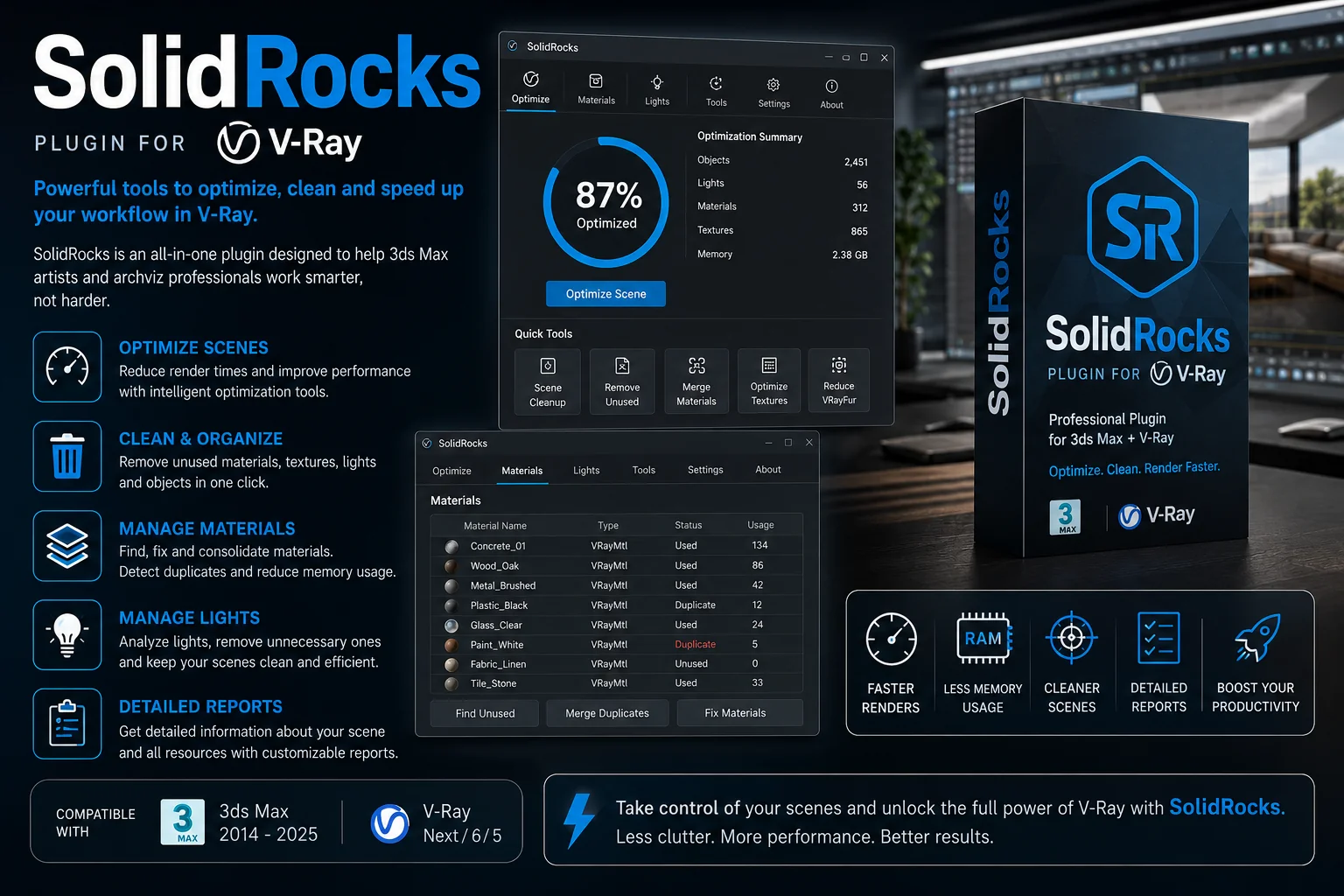
🚀 Download CameraSolidRocks v2.5.0 for 3ds Max / V-Ray (Win x64) – The Ultimate Rendering Shortcut
Let’s be real for a second. We all love the stunning results we get from V-Ray, but do we actually enjoy the complex setup? Messing with hundreds of settings just to get a decent test render is a headache. If you want to spend less time tweaking sliders and more time being creative, you are in the right place. Say hello to CameraSolidRocks v2.5.0. This little powerhouse automates the boring stuff so you can focus on the art.
In this guide, we will walk you through what makes this tool a must-have, how it simplifies your workflow, and why it is perfectly compatible with your favorite 3D software.
SolidRocks v2.5.0 for 3ds Max / Vray Win x64
This content is restricted to paid subscribers
🔥 What Exactly is CameraSolidRocks?
CameraSolidRocks is not just another script; it is like having a V-Ray expert sitting right next to you. It fully automates the complex setup of V-Ray with just one click. No more guesswork, no more Googling “best V-Ray settings.” It handles the heavy lifting so that professional rendering in V-Ray has never been easier.
Simplify Your V-Ray Life:
If you are tired of waiting for hours for a render to finish, this tool is a game-changer. Here is how it transforms your daily workflow:
-
⏱️ Cut Rendertimes up to x3: Stop wasting hours on test renders. SolidRocks optimizes the engine to give you clean results super fast.
-
🎬 Animation Wizards: Animating is hard enough without worrying about flickering and noise. This tool simplifies the process.
-
⚡ Instant 1-Click Setup: Literally just click one button and start rendering. It is that simple.
💡 How to Use CameraSolidRocks (The Ultimate Workflow)
Getting started is so easy, you will wonder why you haven’t been using it for years. Here is the quick and dirty workflow to take your renders from zero to hero.
1. The One-Click Magic
Stop manually tweaking the color mapping and image sampler. Once you install CameraSolidRocks v2.5.0, you just pick your desired quality preset and hit the button. The script instantly writes the optimal settings into V-Ray.
2. Switching Between Engines
Are you working with the standard Adv engine but want to test the scene on your GPU? No problem. With one single click, you can now switch between the 2 flavors of V-Ray (Adv and GPU Hybrid). This is perfect for artists who need speed for look dev but raw power for final frames.
3. Bucket or Progressive Mode
Every artist has a preference. Sometimes you want to see the whole image resolve (Progressive), and sometimes you need the clean, predictable routine of Bucket rendering. You can toggle between Bucket or Progressive mode in a single click directly in the SolidRocks interface.
4. Optimized Presets
Worried that an automated tool will give you low-quality results? Don’t be. SolidRocks comes with optimized presets for both engines. If you are a power user, you can tweak them using the preset editor. The production settings are built for better quality output, ensuring your final render looks absolutely professional.
5. The IPR Button
Instant feedback is everything. The IPR button works perfectly with both engines, letting you see lighting and material changes in real-time without any lag.
6. Modern Gamma Workflow
Old workflows are dead. The new gamma workflow in this version matches modern ACES and filmic standards, ensuring your lighting reacts correctly right out of the box.
7. Full Power Features ON
Why leave performance on the table? All the new V-Ray features are now turned on for full power, including:
-
VBAA: For cleaner edges.
-
Autopilot & Dynamic Threshold: So you don’t have to babysit the noise levels.
-
sRGB VFB and GI Caustics: For accurate color space and realistic light bending.
⚙️ Compatibility and Installation
Before you download, let’s make sure your setup is ready. This version is fresh and compatible with the latest standards.
-
Compatible with V-Ray 6 (hotfix 2): Fully stable and tested for the latest V-Ray updates.
-
Compatible with 3ds Max 2023: Works flawlessly in the 2023 environment.
-
System: Windows x64.
To install, simply drag and drop the script file into your 3ds Max viewport or run it through the MaxScript menu. The intuitive UI will pop up immediately, ready to accelerate your work.
🎉 Final Thoughts
Stop letting technical settings block your creativity. CameraSolidRocks v2.5.0 bridges the gap between complex programming and pure artistic freedom. It effectively cuts your render times by up to three times, gives you one-click access to GPU or CPU engines, and forces V-Ray to use every ounce of its power.
Install it, enjoy the simplicity, and have fun with SolidRocks for V-Ray 6. Your renders will thank you

![[Download] Craft Director Studio v25.2.1 for 3ds Max & Maya free download](https://3dmaxfarsi.com/wp-content/uploads/2026/07/craft-director-studio-for-3ds-max-maya-390x220.webp "[Download] Craft Director Studio v25.2.1 for 3ds Max & Maya 2")

![[Download] Pixamoon - Bitmap Tracking Resizing v2.05.02 for 3ds Max](https://3dmaxfarsi.com/wp-content/uploads/2026/07/bitmap-tracking-resizing-390x220.webp "[Download] Pixamoon - Bitmap Tracking Resizing v2.05.02 for 3ds Max 4")
![[Free] Chaos Corona 15.1 for 3ds Max 2018-2027](https://3dmaxfarsi.com/wp-content/uploads/2024/09/chaos-corona-3ds-max-15-390x220.webp "[Free] Chaos Corona 15.1 for 3ds Max 2018-2027 5")