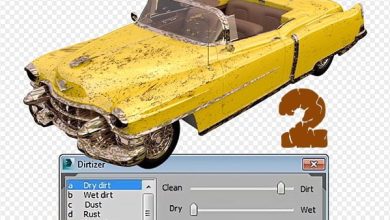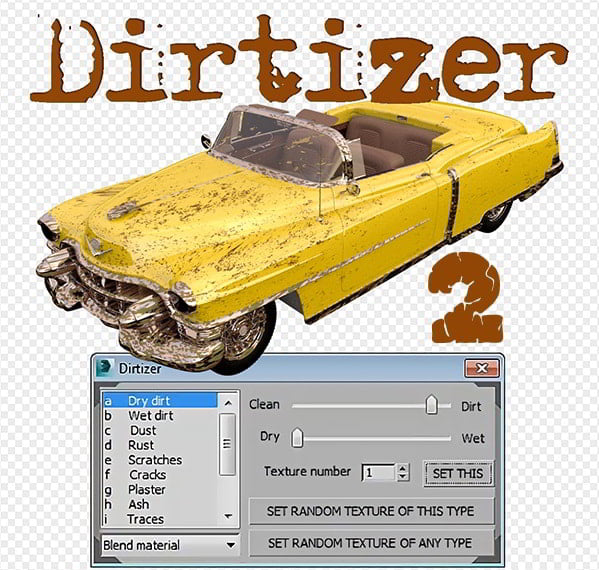
Dirtizer 2 is a rad script for 3ds Max that lets you add dirt, grime, and wear effects to your 3D materials automatically 🛠️💥. Instead of spending hours tweaking textures in Photoshop, Dirtizer 2 does the heavy lifting for you 🎨. It’s perfect for making your renders look more realistic—like adding mud to the bottom of walls or rust to metal surfaces 🌧️🛋️.
Dirtizer: One of the best ways to create diversity in the materials is to create a little dirt and pollution in the material, which is created especially in the lower parts of the 3D model that are worn or in its upper edges due to rainwater!
It’s compatible with rendering engines like V-Ray, Corona, and Redshift, so you can use it in all kinds of projects 🚀. Plus, it supports multi-material setups and randomizes textures for that extra natural vibe 🌿. If you’re into creating gritty, lived-in environments, this script is a total game-changer 🔥.
In order to create this pus and contamination, one must create a material for each 3D model in Photoshop, which is a bit time-consuming. To automate this process, you can use the Dirtizer 2 for 3ds Max 2010-2017 specialized plug-in for 3D Max and luckily it is compatible with the Vray plug-in!
A very helpful plugin which can make your materials dirty in one click!
– You can control the level of dirtiness.
– You can make it dry or wet.
– Dirtizer supports Multi-materials (you can set random dirt to all materials at once)
– You can add your own textures of dirt. (Organize your textures in ‘Dirtizer’ folder as you want)
Most render systems are supported now! Tested with V-Ray, Mental Ray, Scanline, Corona, Redshift.
VrayBlendMtl is supported.
– Rich preset library:
1 Dry dirt
2 Wet dirt
3 Dust
4 Ash
5 Snow
6 Water drops
7 Rubbish
8 Scratches
9 Rust
10 Cracks
11 Plaster
12 Traces
13 Brick & tile
14 Leaves
Dirtizer 2 3D Max Script