Download high-quality 3D models for architecture

🏛️ Best 3D Models for Architecture: Download High-Quality Designs for Your Projects
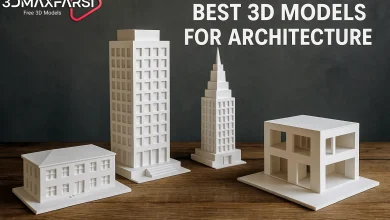
High-quality 3D models for architecture are digital representations of buildings, structures, or spaces that are accurate, detailed, and optimized for professional use in design, visualization, and construction. These models serve various purposes, including concept development, client presentations, marketing, and even construction documentation.
Looking for Best 3D Models for Architecture or top-tier 3D models for architecture? Whether you’re an architect, designer, or student, having access to high-quality 3D models can save time and elevate your projects. In this guide, we’ll break down:
✔ Where to download the best architectural 3D models
✔ Key features to look for
✔ Free vs. paid models
✔ Common FAQs
Let’s dive in! 🚀
🔍 Why High-Quality 3D Models Matter in Architecture
Using detailed, optimized 3D models can:
✅ Speed up workflow – No need to model everything from scratch.
✅ Improve presentations – Realistic renders impress clients.
✅ Ensure accuracy – Professionally made models follow real-world scales.
But where do you find them? Let’s explore!
📥 Where to Download High-Quality 3D Models for Architecture
Not all 3D model websites are equal. Here are the best sources:
| Website | Free/Paid | Best For | Format Support |
|---|---|---|---|
| SketchUp 3D Warehouse | Free | Quick conceptual models | .SKP, .OBJ |
| Turbosquid | Paid (some free) | Ultra-realistic models | .MAX, .FBX, .OBJ |
| CGTrader | Paid | High-detail commercial use | .BLEND, .STL |
| ArchDaily | Free/Paid | Architectural-specific | .DWG, .RVT |
| Free3D | Free | Budget-friendly options | .3DS, .FBX |
💡 Pro Tip: Always check polygon count and texture resolution before downloading!
🆚 Free vs. Paid 3D Models: Which Should You Choose?
| Feature | Free Models 🎁 | Paid Models 💰 |
|---|---|---|
| Quality | Varies (often lower) | Consistently high |
| Detail Level | Basic shapes | Realistic textures |
| Licensing | Limited use | Commercial rights |
| Support | Rarely | Often included |
When to use free models?
-
Quick drafts 🏗️
-
Personal projects 🎓
When to invest in paid models?
-
Client presentations 💼
-
High-end renders 🖥️
❓ FAQs: Answering Your Burning Questions
1. What file formats are best for architectural 3D models?
-
.FBX / .OBJ – Great for renders & animations.
-
.DWG / .RVT – Best for CAD/BIM workflows.
-
.SKP – Ideal for SketchUp users.
2. How do I know if a 3D model is high quality?
✔ Low-poly but detailed (optimized for rendering).
✔ Includes textures & materials.
✔ Properly scaled (matches real-world dimensions).
3. Can I modify downloaded 3D models?
✅ Yes! Most models are editable in software like Blender, 3ds Max, or Rhino.
4. Are there copyright issues with free models?
⚠️ Always check licenses! Some free models are CC0 (public domain), while others require attribution.
🎯 Final Tips for Choosing the Best 3D Models
🔹 Match the style – Modern, classical, or futuristic? Pick models that fit your vision.
🔹 Check reviews – See what other architects say about the model’s quality.
🔹 Test before finalizing – Import a sample to ensure compatibility.
🚀 Ready to Boost Your Architectural Designs?
Now that you know where to find the best 3D models, it’s time to enhance your workflow! Whether you go free or premium, always prioritize quality and usability.
Key Characteristics of High-Quality 3D Architectural Models:
-
Accuracy & Precision
-
Correct scale, proportions, and dimensions (based on real-world measurements).
-
Proper alignment of structural elements (walls, beams, roofs, etc.).
-
-
Detailed Geometry
-
Clean topology (no unnecessary polygons or mesh errors).
-
Realistic architectural elements (doors, windows, railings, stairs, etc.).
-
-
High-Quality Textures & Materials
-
Physically accurate materials (PBR – Physically Based Rendering).
-
Proper UV mapping (no stretching or distortion).
-
Realistic finishes (wood, concrete, glass, metal).
-
-
Optimized for Performance
-
Balanced polygon count (not too heavy for real-time rendering).
-
Efficient use of textures (appropriate resolution without excessive file size).
-
-
Proper Organization & Naming
-
Logical hierarchy (grouped elements like walls, furniture, lighting).
-
Clear naming conventions for easy editing and collaboration.
-
-
Realistic Lighting & Shadows
-
Properly configured natural and artificial lighting.
-
Accurate shadows for daylight studies.
-
-
Compatibility with Industry Software
-
Exportable in standard formats (
.FBX,.OBJ,.DWG,.SKP,.RVT). -
Works with tools like Autodesk 3ds Max, Revit, SketchUp, Blender, Unreal Engine, Lumion, or Twinmotion.
-
-
Support for LOD (Level of Detail)
-
Adaptable for different uses (high-detail for close-ups, simplified for large-scale scenes).
-
Common Uses of High-Quality 3D Architectural Models:
- Conceptual Design – Early-stage visualization.
- Client Presentations – Realistic renders and walkthroughs.
- Marketing & Sales – Virtual tours and interactive experiences.
- Construction Planning – BIM (Building Information Modeling) integration.
- VR/AR Applications – Immersive experiences for stakeholders.
Where to Find High-Quality 3D Models?
-
Marketplaces: TurboSquid, CGTrader, Sketchfab, ArchDaily.
-
BIM Libraries: BIMobject, RevitCity.
-
Custom Modeling: Hiring 3D artists or using AI-assisted tools.
Got more questions? Drop them below! 👇 #3DArchitecture #DesignTips