Top 3D Assets for Game Development
Top 3D Assets for Game Development: A Gamer’s Guide 🎮
So, you’re diving into game development, huh? Whether you’re a solo indie dev or part of a team, 3D assets are the building blocks of your virtual world. But with so many options out there, how do you pick the best ones?
In this guide, we’ll break down:
✔ What 3D assets are
✔ Where to find the best ones (free & paid)
✔ How to choose the right assets for your game
✔ Common FAQs answered
Let’s level up your game dev skills! 🚀
What Are 3D Assets?
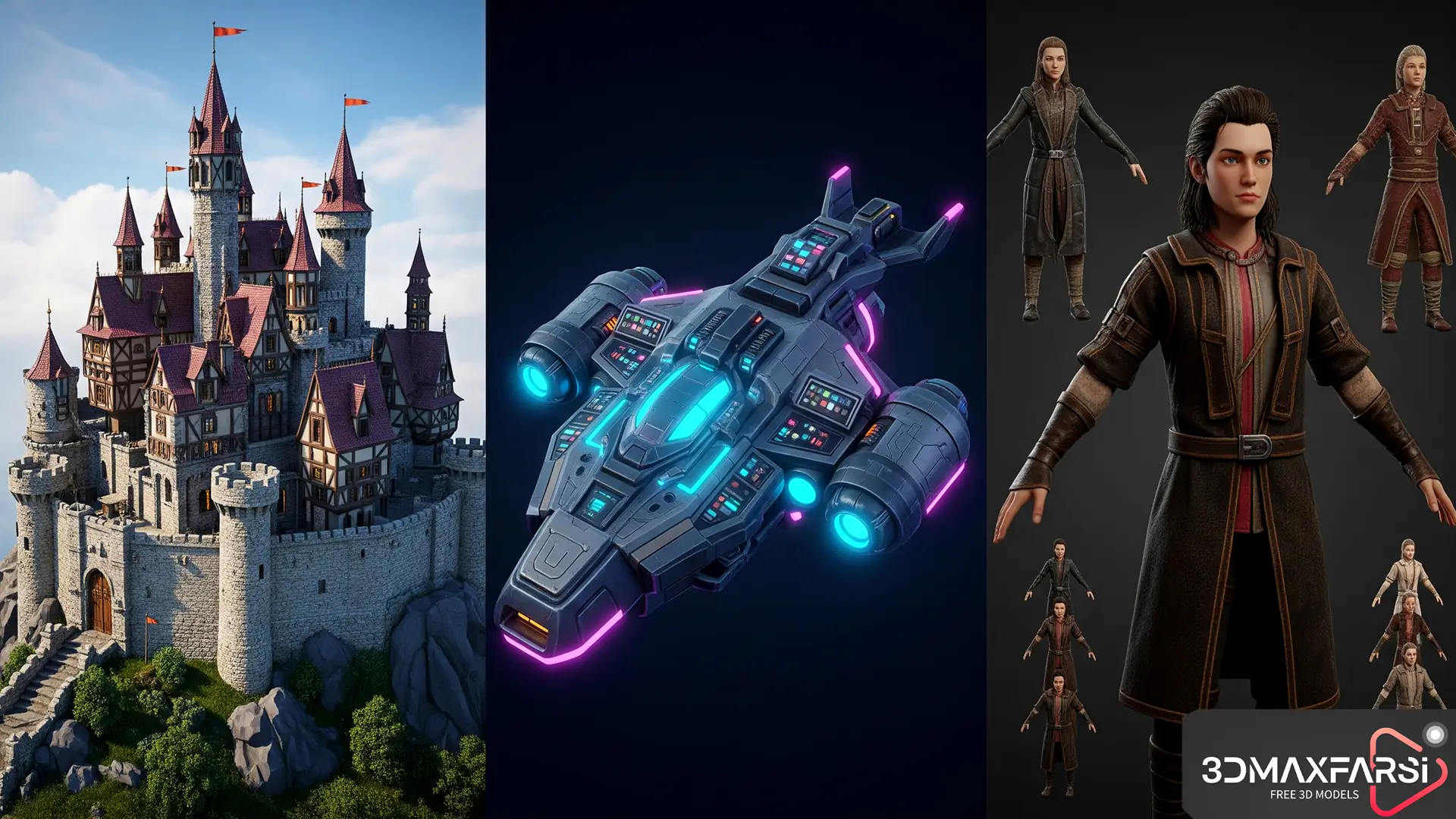
3D assets are pre-made models, textures, animations, and environments that you can import into your game engine (like Unity or Unreal). Instead of modeling everything from scratch, you can save time by using ready-made assets.
Types of 3D Assets
| Asset Type | Description | Example Use Case |
|---|---|---|
| Characters 🧍 | Player/NPC models with rigging & animations | Protagonists, enemies, NPCs |
| Props � | Interactive objects (weapons, furniture, etc.) | Swords, chairs, treasure chests |
| Environments 🌲 | Pre-built terrains, buildings, or dungeons | Open worlds, sci-fi cities |
| UI Elements 🖥️ | Menus, HUDs, icons | Health bars, inventory screens |
| VFX & Particles ✨ | Fire, smoke, magic spells | Explosions, weather effects |
Where to Get 3D Assets? (Free & Paid)
🔥 Free Asset Marketplaces
-
- Unity Asset Store (Free Section) – Great for beginners.
- Unreal Engine Marketplace (Free Monthly Assets) – Epic gives away free stuff!
- Sketchfab – Huge library of CC0 (public domain) models.
- TurboSquid (Free Section) – Some hidden gems here.
- OpenGameArt – Free assets, especially for indie devs.
💰 Premium Asset Stores (Worth the Investment)
-
- Unity Asset Store (Paid) – High-quality, optimized assets.
- Unreal Marketplace (Paid) – AAA-level models & environments.
- CGTrader – Professional-grade assets for serious projects.
- ArtStation Marketplace – Unique, artist-made models.
- Envato Elements – Subscription-based, unlimited downloads.
How to Choose the Right 3D Assets?
Not all assets are created equal! Here’s what to check before downloading:
✅ Polygon Count – Low-poly for mobile, high-poly for PC/console.
✅ Texture Quality – 4K textures look great but may slow down performance.
✅ Rigging & Animations – Ready-to-use animations save tons of time.
✅ File Format – FBX, OBJ, and GLTF are widely supported.
✅ License – Check if it’s royalty-free for commercial use.
Pro Tip: If you’re using Unity, look for assets with HDRP/URP support. For Unreal, check for Nanite/Lumen compatibility.
Common Questions (FAQs) ❓
1. Can I use free 3D assets in a commercial game?
✅ Yes, but check the license! Some free assets require attribution (CC-BY) or forbid commercial use (CC-NC).
2. What’s better: buying assets or making them myself?
-
- Buying assets = Faster, cheaper for small teams.
- Custom assets = Unique style, but time-consuming.
3. How do I optimize 3D assets for better performance?
-
- Reduce polygon count (use LODs).
- Compress textures.
- Avoid too many high-poly assets in one scene.
4. What’s the best format for 3D assets?
-
- FBX – Best for animations.
- OBJ – Simple, no animations.
- GLTF – Web-friendly, great for WebGL games.
Final Thoughts 🎯
3D assets can save you hundreds of hours in game development. Whether you go free or paid, always check quality, license, and optimization. Now go build something awesome! 🚀
Leveling Up Your Game with 3D Assets: Pro Tips & Hidden Gems 🛠️
Now that we’ve covered the basics, let’s dive deeper into how to make the most of 3D assets in your game development workflow. We’ll explore:
✔ Optimizing 3D assets for performance ⚡
✔ Customizing pre-made assets 🎨
✔ Top underrated asset sources 💎
✔ Real-world examples from popular games 🏆
Optimizing 3D Assets for Peak Performance 🚀
Even the coolest 3D models can wreck your game’s FPS if not optimized properly. Here’s how to keep things smooth:
🔧 Optimization Checklist
| Issue | Fix | Tool/Technique |
|---|---|---|
| High Poly Count | Reduce polygons | Blender’s Decimate Modifier |
| Large Textures | Compress/resize textures | Photoshop, TinyPNG |
| Unoptimized Rigs | Simplify bone structures | Mixamo (auto-rigging) |
| Too Many Draw Calls | Combine meshes | Unity’s Static Batching |
| Heavy Shaders | Use mobile-friendly shaders | Shader Graph (Unity) / Material Editor (Unreal) |
Pro Tip: Test your assets early on low-end devices to avoid surprises later!
Customizing Pre-Made Assets Like a Pro 🎨
Buying assets doesn’t mean your game has to look generic. Here’s how to make them your own:
1. Texture Swapping & Recoloring
-
-
- Use Substance Painter or Photoshop to tweak colors & materials.
- Example: Turn a realistic sci-fi gun into a cartoonish blaster with bright textures.
-
2. Kitbashing (Mixing & Matching Parts)
-
-
- Combine different asset packs to create unique props.
- Example: Use Modular Dungeon Packs to build custom levels.
-
3. Adding Custom Animations
-
-
- Use Mixamo or Cascadeur to tweak pre-made animations.
- Example: Modify a standard walk cycle into a limping zombie shuffle.
-
4. Post-Processing Effects
-
-
- Apply shaders, fog, or lighting tweaks to change the mood.
- Example: A bright fantasy forest can become haunted with dark lighting.
-
Underrated 3D Asset Sources You Might’ve Missed 💎
Beyond the usual stores, here are hidden gems for unique assets:
🔹 Itch.io (Indie-Friendly Assets)
-
- Why? Super creative, often pay-what-you-want.
- Best For: Stylized, low-poly, or retro assets.
🔹 Daz 3D (High-Quality Characters)
-
- Why? Insanely detailed human models (free & paid).
- Best For: Narrative-driven games, cinematics.
🔹 Quixel Megascans (Photorealistic Textures)
-
- Why? Free with Unreal Engine, insanely realistic.
- Best For: AAA-level environments.
🔹 Blendermarket (Blender-Specific Assets)
-
- Why? Great for Blender users, often rigged & animated.
- Best For: Custom character pipelines.
How AAA & Indie Games Use 3D Assets 🏆
Case Study 1: Hades (Supergiant Games)
-
- Used customized Mixamo animations for fast-paced combat.
- Combined hand-painted textures with 3D models for a unique art style.
Case Study 2: Fortnite (Epic Games)
- Relies on Unreal Marketplace assets for seasonal props.
- Kitbashes assets to keep content fresh (e.g., turning a pirate ship into a spaceship).
Case Study 3: Stardew Valley (Eric Barone)
-
- Used pixel-art 3D models for a retro feel.
- Mixed free and paid assets to stay within budget.
Final Pro Tips Before You Go 🏁
- Always check the license (even if it’s free).
- Keep a backup of original asset files before modifying.
- Credit artists if required—it’s good karma! 🙌
- Join Discord/forums for asset recommendations (e.g., r/gamedev).
What’s your favorite 3D asset store? Struggling with optimization? Drop a comment below—let’s chat! 👇
What’s Next?🎮
🔗 Affordable 3D model library subscription
🔗 Top-rated 3D assets for game designers
🔗 High-resolution PBR textures for game development