Top-rated 3D assets for visual effects artists
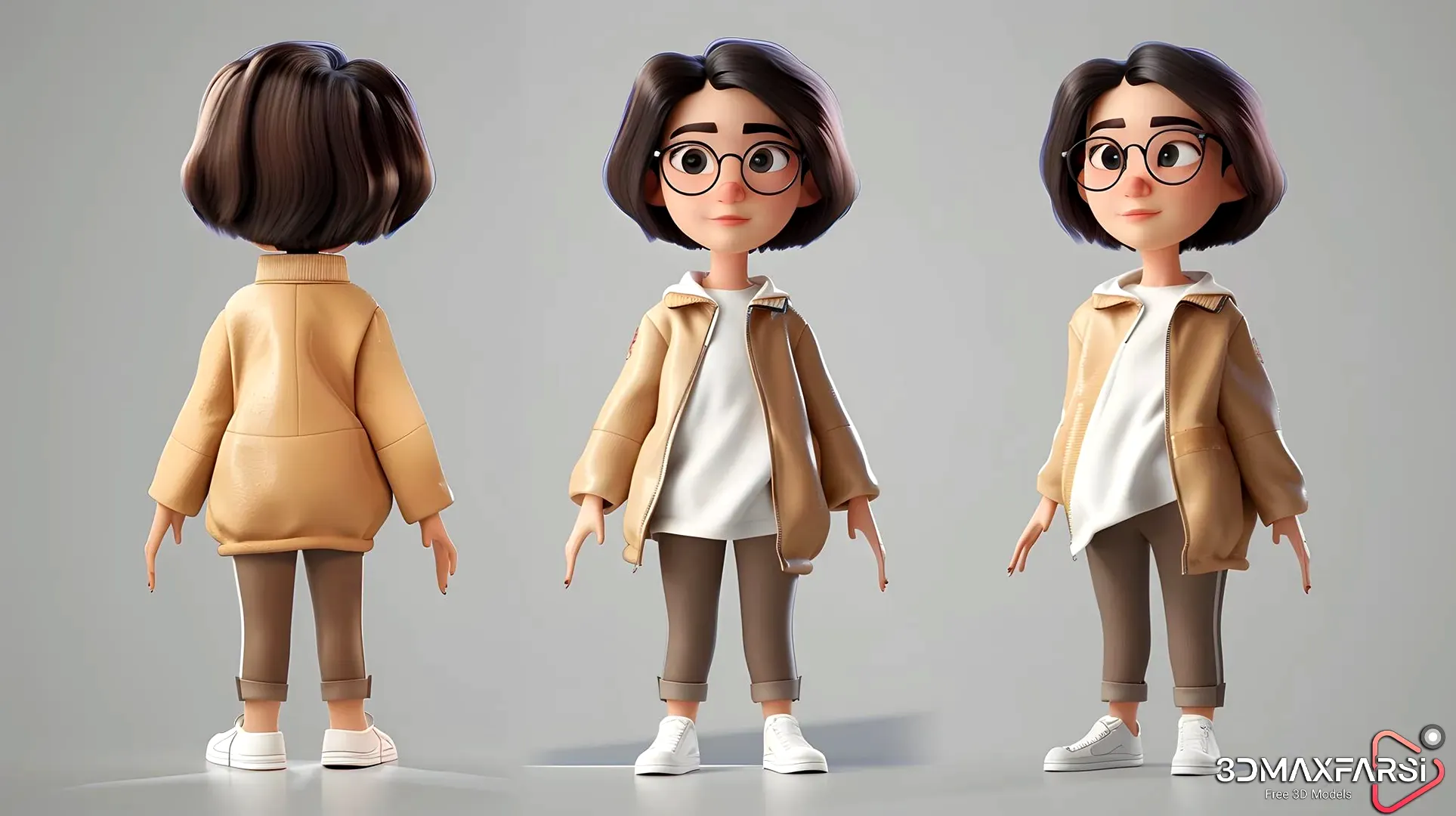
High-Quality 3D Character Models: The Ultimate Guide for Visual Effects Artists 🎨✨
If you’re a visual effects (VFX) artist, game developer, or animator, you know that high-quality 3D character models can make or break your project. Whether you’re working on a blockbuster film, an indie game, or a commercial, having top-rated 3D assets saves time, enhances realism, and boosts creativity.
But what makes a 3D character model truly high-quality? Where can you find the best assets? And how do you choose the right one for your project? Let’s break it all down!
Whether you’re a VFX artist, indie dev, or hobbyist, high-quality 3D character models are a game-changer. By choosing top-rated assets, you save time, enhance realism, and bring your creative visions to life faster.
Be sure to read: High-Quality 3D Character Models 🚀
Why High-Quality 3D Character Models Matter 🏆
1. Realism & Detail
- High-poly models with intricate textures (like skin pores, fabric wrinkles, and realistic hair) make characters believable.
- PBR (Physically Based Rendering) materials ensure accurate light interaction.
2. Animation-Ready Rigging
- A well-rigged model with proper bone structure and facial blendshapes allows smooth animation.
- Auto-rigging tools (like Mixamo) can speed up the process.
3. Performance Optimization
-
Low-poly versions with normal maps help maintain performance in games & real-time apps.
4. Versatility
-
Great models work across different software (Blender, Maya, Unreal Engine, Unity).
Top Sources for High-Quality 3D Character Models 🛒
Here’s a comparison table of the best marketplaces:
| Marketplace | Price Range 💰 | Best For 🎯 | License 📜 |
|---|---|---|---|
| Turbosquid | 20−500+ | Films, Games | Royalty-Free |
| CGTrader | 10−300 | High-detail VFX | Extended licenses available |
| Unreal Engine Marketplace | Free – $200 | Real-time projects | UE-compatible |
| Sketchfab | Free – $250 | VR/AR, Web 3D | Varies |
| ArtStation Marketplace | 50−500 | Premium cinematic models | Royalty-Free |
💡 Pro Tip: Some sites offer free samples—always check reviews and wireframes before buying!
What Makes a 3D Character Model “Top-Rated”? ⭐
Not all models are equal. Here’s what separates the elite from the average:
✅ Clean Topology – No messy polygons; perfect for deformation.
✅ 4K Textures – Ultra-HD diffuse, roughness, and normal maps.
✅ Fully Rigged & Skinned – Ready for animation out of the box.
✅ Modularity – Customizable parts (outfits, weapons, expressions).
✅ Realistic Hair & Cloth Physics – Simulated for natural movement.
Common Questions (FAQs) ❓
Q1: Can I use purchased 3D models in commercial projects?
A: Most marketplaces offer royalty-free licenses, but always check the terms—some require attribution.
Q2: What’s better—high-poly or low-poly models?
A: Depends on use!
- High-poly = Cinematic films, high-end renders.
- Low-poly = Games, mobile apps, VR.
Q3: How do I optimize a 3D model for real-time use?
A:
✔ Reduce polygons (use decimation tools).
✔ Bake details into normal maps.
✔ Use LODs (Level of Detail) for games.
Q4: Which software is best for editing 3D character models?
A:
- Blender (Free & powerful)
- Maya (Industry standard for rigging)
- ZBrush (Best for sculpting details)
High-Quality 3D Character Models: The Ultimate Guide (Part 2) 🚀
Welcome back! In Part 1, we covered why high-quality 3D character models matter, where to find them, and what makes them top-rated. Now, let’s dive deeper into workflow tips, industry trends, and how to customize purchased models like a pro!
Customizing Purchased 3D Models Like a Boss 🛠️
So you’ve bought an awesome 3D character—now what? Here’s how to make it truly yours:
1. Texture & Material Tweaks
-
Substance Painter is king for custom textures.
-
Adjust metallic/roughness maps to change material feel (e.g., make armor more weathered).
2. Morphing & Sculpting
-
Use ZBrush or Blender sculpting to tweak facial features or body proportions.
-
Pro Tip: Keep a backup of the original mesh!
3. Outfit & Gear Swaps
-
Many models come with modular parts—mix and match for unique looks.
-
Use Marvelous Designer for custom clothing simulations.
4. Rigging & Animation Adjustments
-
Need a different walk cycle? Re-target animations in Unreal or Maya.
-
Add extra bones for accessories (e.g., a flowing cape).
Industry Trends in 3D Character Modeling (2024) 🔥
What’s hot right now? Here’s what VFX studios and game devs are obsessing over:
| Trend 📈 | Why It’s Cool 🌟 | Tools to Try 🛠️ |
|---|---|---|
| AI-Assisted Modeling | Speed up retopology & texture generation | Kaedim, Adobe Substance 3D |
| Metahuman-Level Realism | Unreal’s Metahuman Creator is changing the game | Unreal Engine 5, ZBrush |
| Procedural Character Generation | Create endless variations automatically | Houdini, Character Creator 4 |
| Real-Time Collaboration | Teams work together in VR sculpting spaces | Adobe Medium, Gravity Sketch |
💡 Future Prediction: We’ll see more AI-generated 3D avatars for games & virtual influencers!
Free vs. Paid Models: Is It Worth Spending? 💸
Free Models (Pros & Cons)
✅ Great for practice & indie projects
✅ No budget? No problem!
❌ Often lower quality (clunky topology, basic textures)
❌ License restrictions (check carefully!)
Paid Models (When to Splurge)
✔ You need film/VFX-ready quality
✔ Working on a commercial project with a budget
✔ Saving weeks of modeling time
Best Free Resources:
- Mixamo (Free auto-rigging + animations)
- Sketchfab Free Section
- Unreal Marketplace Free Monthly Assets
Software Showdown: Where Should You Edit Your Models? ⚔️
| Software 💻 | Best For 🎯 | Learning Curve 📚 |
|---|---|---|
| Blender | All-in-one (modeling, sculpting, rigging) | Moderate (but tons of free tutorials) |
| Maya software |
Pro rigging & animation | Steep (industry standard) |
| ZBrush software |
Hyper-detailed sculpting | Challenging (pen tablet needed) |
| Unreal Engine software |
Real-time rendering & animation | Moderate (blueprints help) |
Personal Take: If you’re starting out, Blender + Mixamo is a killer free combo!
FAQ Round 2: Even More Burning Questions 🔥
Q5: How do I know if a model’s topology is good?
A: Look for:
✔ Even quad polygons (no triangles or n-gons in critical areas).
✔ Edge loops following natural muscle flow (for smooth deformation).
Q6: Can I sell modified versions of purchased models?
A: Usually NO unless the license explicitly allows it. Always check the marketplace’s terms!
Q7: Why does my model look weird in-engine?
A: Common fixes:
✔ Re-export with correct scale units.
✔ Reassign materials/PBR textures properly.
✔ Check normal map directions (flipped Y?).
Q8: What’s next after mastering character modeling?
A: Level up with:
- Motion capture integration (Rokoko, iPhone ARKit).
- Procedural animation (Houdini, Unity DOTS).
Final Pro Tips for VFX Artists 🎬
- Always optimize—even high-poly models need LODs for rendering.
- Build a library—save your favorite models & textures for future projects.
- Stay inspired—follow artists on ArtStation, Polycount, and 80 Level.
Now go make something EPIC! 🎨✨