Premium 3D textures for interior design projects 🚀
Premium PBR Textures for Rendering: Elevate Your 3D Interior Design Projects
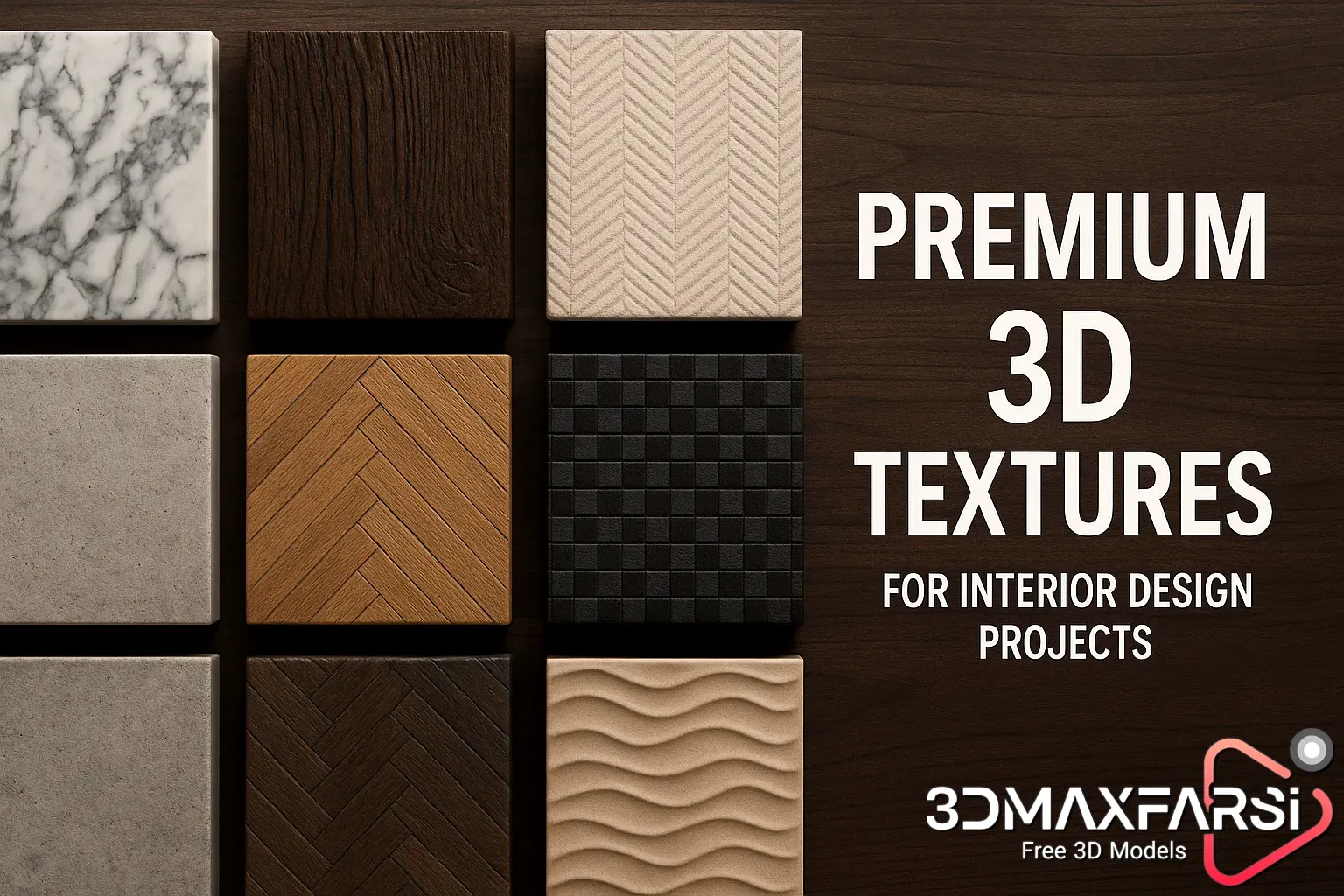
If you’re into 3D rendering, you already know that textures make or break realism—especially in interior design. But not just any textures will do. Premium PBR (Physically Based Rendering) textures are the secret sauce that turns bland models into jaw-dropping visuals.
In this guide, we’ll break down:
✔ Why PBR textures matter for interior design
✔ Where to find the best premium textures
✔ How to use them effectively in your projects
✔ Common FAQs answered
Let’s dive in! 🛋️✨
Why Premium PBR Textures Are a Game-Changer for Interior Design
1. Unmatched Realism 🎨
PBR textures simulate real-world material properties like:
- Reflectivity (metals, glass)
- Roughness (wood, concrete)
- Subsurface scattering (fabrics, marble)
This means your renders look photorealistic, not like a video game from 2005.
2. Consistency Across Lighting Conditions 💡
Unlike basic textures, PBR materials react realistically to different lighting setups—whether it’s a sunny living room or a moody bedroom.
3. Saves Time & Effort ⏳
Instead of tweaking shaders for hours, premium PBR textures come pre-optimized for engines like:
- Blender
- Unreal Engine
- 3ds Max
- V-Ray
Best Uses of Premium PBR Textures in Interior Design
| Texture Type | Best For | Example Use Case |
|---|---|---|
| Wood Planks | Flooring, furniture | Rustic oak floors, modern walnut tables |
| Fabric & Upholstery | Couches, curtains | Velvet sofas, linen drapes |
| Concrete & Stone | Walls, countertops | Industrial lofts, minimalist kitchens |
| Metals | Fixtures, appliances | Brushed nickel faucets, stainless steel fridges |
| Ceramic & Tile | Backsplashes, bathrooms | Subway tiles, Moroccan patterns |
Where to Find the Best Premium PBR Textures? 🌍
Not all texture packs are created equal. Here are the top sources for high-quality PBR textures:
- Poliigon – Ultra-detailed, studio-grade textures.
- Texture Haven – Free & premium options.
- Quixel Megascans – Used in AAA games & films.
- Substance Source – Industry-standard material library.
- CGTrader / TurboSquid – Great for niche materials.
💡 Pro Tip: Look for 4K/8K resolution and seamless tiling to avoid repetition.
How to Use PBR Textures Like a Pro 🛠️
Step 1: Import Correctly
Most PBR textures come with:
- Albedo (Base Color)
- Normal Map (adds depth)
- Roughness (controls glossiness)
- Metallic (for reflective surfaces)
Make sure your render engine supports PBR workflow (e.g., Principled BSDF in Blender).
Step 2: Adjust Scale & UV Mapping
- Avoid stretching by scaling textures properly.
- Use UV unwrapping for complex models.
Step 3: Test Under Different Lighting
A texture might look great in daylight but weird under artificial light—always test!
FAQs About Premium PBR Textures ❓
Q: Are free PBR textures good enough?
A: Some are decent, but premium textures offer higher resolution, better consistency, and more variety.
Q: Can I use PBR textures in real-time engines like Unreal?
A: Yes! PBR is the standard for Unreal Engine, Unity, and more.
Q: How do I avoid tiling/repetition?
A: Use texture variation packs or mix multiple textures for a natural look.
Q: Do I need a powerful PC for PBR rendering?
A: Not necessarily, but high-res textures eat VRAM—optimize where possible.
Final Thoughts: Worth the Investment? 💰
If you’re serious about interior visualization, premium PBR textures are a must. They:
✅ Boost realism
✅ Save rendering time
✅ Make clients go “WOW”
So, skip the low-res stuff and go premium—your renders will thank you! 🏡✨
TL;DR:
-
PBR textures = realism in 3D interiors.
-
Best sources: Poliigon, Quixel, Substance.
-
Use properly: Scale, UV map, test lighting.
-
Worth it? Absolutely.
Now go make something stunning! 🎨🔥
Advanced Tips & Tricks for Using Premium PBR Textures in Interior Design 🎨🔍
So you’ve got your premium PBR textures—now what? Let’s take your renders from good to mind-blowing with some pro techniques.
1. Mixing & Blending Textures for Unique Surfaces
Ever seen a worn-out leather couch or aged wooden floor? Real-world materials aren’t perfect—they have scratches, stains, and variations.
How to Achieve This in 3D:
✔ **Use grunge maps or dirt overlays to break up uniformity.
✔ Blend two materials (e.g., clean wood + scratched wood) using a mask.
✔ Adjust roughness variations—some spots should be glossier than others.
💡 Example: A marble countertop looks more realistic with subtle water stains and vein variations.
2. Lighting Tricks to Enhance PBR Materials
Even the best textures can look flat with bad lighting. Here’s how to make them pop:
Best Lighting Setups for Interiors
| Light Type | Best For | Pro Tip |
|---|---|---|
| HDRI Lighting | Natural, realistic global illumination | Use high-res HDRIs for accurate reflections |
| Area Lights | Soft, diffused lighting (e.g., lamps) | Adjust size to control shadow softness |
| Spotlights | Accent lighting (e.g., artwork, decor) | Add subtle volumetric effects for depth |
⚠ Avoid: Overusing pure white lights—real light has temperature (warm 3000K vs. cool 6000K).
3. Optimizing PBR Textures for Faster Rendering
4K/8K textures look amazing but can slow down renders. Here’s how to balance quality & speed:
Texture Optimization Checklist
✅ Use lower resolutions for distant objects (e.g., a rug in the background).
✅ Compress textures (BC7 format for Unreal Engine, JPEG-XR for Blender).
✅ **Use tiling textures instead of unique ones for large surfaces (e.g., walls, floors).
🎮 For Real-Time Engines (Unreal/Unity):
- **Enable mipmaps to reduce aliasing.
- **Use virtual textures if working with massive scenes.
4. Adding Imperfections for Ultra-Realism
Perfect = Unrealistic. Here’s how to add believable wear & tear:
Easy Ways to Add Imperfections
- Fingerprint smudges on glass/metal (use a smudge map).
- Dust & scratches on furniture (subtle noise textures work great).
- Fabric wrinkles on sofas & curtains (simulate cloth or use displacement).
🛠 Quick Fix: Most 3D software has procedural noise—use it to break up repetitive textures!
5. Common PBR Texture Mistakes (And How to Fix Them)
❌ Problem: Texture looks too flat.
✅ Fix: Increase normal map intensity or add displacement.
❌ Problem: Material looks too plastic-y.
✅ Fix: Adjust roughness (0% = mirror, 100% = matte).
❌ Problem: Reflections look unnatural.
✅ Fix: Use proper IOR (Index of Refraction) values (e.g., glass = ~1.5).
FAQs – Part 2! ❓
Q: Can I use PBR textures in VR/AR projects?
A: Yes! They work in Unity, Unreal, and WebGL—just optimize for performance.
Q: What’s the difference between Albedo and Diffuse maps?
A: Albedo = pure color (no shadows), Diffuse = color + baked lighting (older workflow).
Q: How do I make fabrics look soft & fluffy?
A: Use subsurface scattering (SSS) + a fuzz/velvet shader.
Q: Are procedural textures better than image-based PBR?
A: Depends! Procedural is scalable, but image-based is faster for unique details.
Final Pro Tip: Keep a Texture Library! 📂
Organize your textures like this:
📁 PBR_Library/
├── 📁 Wood/
├── 📁 Fabric/
├── 📁 Metal/
└── 📁 Concrete/
This saves hours of searching later!
Conclusion: Master PBR = Master Realism 🏆
Premium PBR textures are powerful, but how you use them makes the difference. Remember:
✔ Mix textures for variation
✔ Light them properly
✔ Add imperfections
✔ Optimize for speed
What’s Next?
Now go wow your clients with renders so real, they’ll try to walk into them! 🚪✨ What’s your biggest struggle with PBR textures? Drop a comment below! 👇